
For most US businesses, the choice of Attendance Management System depends on their employee types. The attendance management software market is expected to be worth $3.8 billion in 2025 and will reach $8.6 billion by 2034, with a CAGR of 9.5%. (DataIntelo Market Research, 2025) Connecteam and Homebase suit frontline, hourly, and shift work; Rippling and BambooHR offer tracking and reporting along with other HR functions; Paycom, Paylocity, and UKG Ready offer tracking and payroll processing for medium-sized and large firms; and lean time trackers like Hubstaff support remote work.
All ratings are based on G2 ratings and the number of reviews. You can verify this information by visiting the vendors’ G2 Time & Attendance profiles. Prices and figures may vary, so please check the latest information on the vendors’ pages.
Quick picks: who should choose what for Attendance Tracking Software
Following is the List of the 11 Best Attendance System:
- Zimyo – Best value HRMS with attendance and payroll included.
- Rippling – Best attendance solution within one HR and IT platform.
- HROne – Best automation-driven HR and attendance solution.
- Gusto – Best payroll-focused small business option.
- Paycom – Best self-service payroll and attendance solution.
- Connecteam – Best deskless and frontline team solution.
- Homebase – Best hourly scheduling and clock-in solution.
- Remote – Best solution for globally distributed teams.
- HiBob HRIS – Best mid-market people solution.
- RUN Powered by ADP – Best small business payroll reliability.
The ranking starts with our own product, followed by G2 rating and review count.
Disclosure: Zimyo is our product. We rank it first; however, we score it on the same criteria as every other product on this list, and the comparison table clearly shows which products score better than ours on G2.
Our research methodology
Our analysis focused on:
- Pricing transparency- Published pricing vs. quote-only.
- Ease of implementation – Time from purchase to first live clock-in.
- Verification depth – GPS, geofencing, biometrics, and buddy-punch prevention.
- Payroll integration – Whether hours flow into payroll without manual export.
- Compliance readiness – FLSA overtime rules, break tracking, audit trails, record retention.
- Mobile and offline – Whether frontline staff can clock in on a phone, including without signal.
- Scalability – Fit as headcount, locations, and shift complexity grow.
We reviewed product ecosystems, compared attendance data workflows, and evaluated how each platform performs for different company sizes and workforce types. Ratings are drawn from G2 as of September 2026 and may change; always confirm the current number on the vendor’s live profile.
Comparison table: 16 attendance systems for US companies
# | Tool | Best for | Rating | Entry price | Free trial |
1 | Zimyo | Value HRMS with attendance + payroll | 4.5/5 | from $4/user/mo | no |
2 | Rippling | Attendance inside one HR + IT platform | 4.8/5 | not published | no |
3 | HROne | Automation-heavy HR and attendance | 4.8/5 | not published | yes |
4 | Gusto | Payroll-first small businesses | 4.6/5 | $49/mo + $6/person/mo | sign-up |
5 | Paycom | Self-service payroll and attendance | 4.6/5 | not published | no |
6 | Connecteam | Deskless and frontline teams | 4.6/5 | free plan | free plan |
7 | Homebase | Hourly scheduling and clock-ins | 4.6/5 | free plan | free plan |
8 | Remote | Globally distributed teams | 4.5/5 | per-worker | yes |
9 | HiBob HRIS | Mid-market people teams | 4.5/5 | not published | no |
10 | RUN Powered by ADP | Small-business payroll reliability | 4.7/5 | not published | no |
How we picked
Every tool on this list appears in the G2 Time & Attendance category with a substantial review base, and we cross-checked it against the top-ranking US comparison pages for this query. The absence rate is calculated as the ratio of workers with absences to total full-time wage and salary employment, according to Bureau of Labor Statistics methodology. (Bureau of Labor Statistics, 2026).
Detailed reviews of the best attendance systems
Each review covers the G2 rating, pricing model, key features, pros and cons, and an honest verdict, including the details vendor sites tend to bury.
1. Zimyo
Zimyo is an all-in-one HR and payroll platform for US SMBs with attendance tracking built into the same record as payroll, leave, and performance so hours captured at clock-in flow straight into pay without a second system in the middle.
Best for: Companies with roughly 10 to 500 employees that want attendance inside an affordable, all-in-one HR and payroll platform.
- Rating: 4.5/5 on G2)
- Entry price: from $4/user/mo
- Free trial: no free trial

Key features:
- Employee attendance and shift tracking with policy customization
- Biometric, mobile, and web clock-in solutions
- Leave management and fixing wrong entries.
- Payroll integration with salary calculation based on attendance
- Live attendance reports and dashboards
- Self-service employee portal for the complete lifecycle
Pros and Cons
| Pros | Cons |
|---|---|
| Lowest published entry price on this list for a full HRMS with attendance built in | Some users report that certain features can be difficult to locate at first |
| True all-in-one platform: attendance integrates with payroll, leave, performance, and HR | The mobile app trails the desktop experience in some areas |
| User-friendly interface that streamlines attendance and payroll management | |
| Quick implementation with a dedicated relationship manager | |
| SMB-friendly pricing with no setup fees on entry plans |
Verdict: Zimyo runs attendance as part of one HR and payroll record—clock-ins, leave, and shift policies feed straight into pay. It’s the value pick when you want attendance, payroll, and HR from a single affordable platform rather than a standalone time clock.
2. Rippling
Rippling connects payroll directly to attendance through its integrated design, so time cards flow straight into payroll without extra software in between.
Best for: US companies that want attendance, payroll, and IT provisioning to run on one employee record.
- Rating: 4.8/5 on G2
- Entry price: not published
- Free trial: no free trial
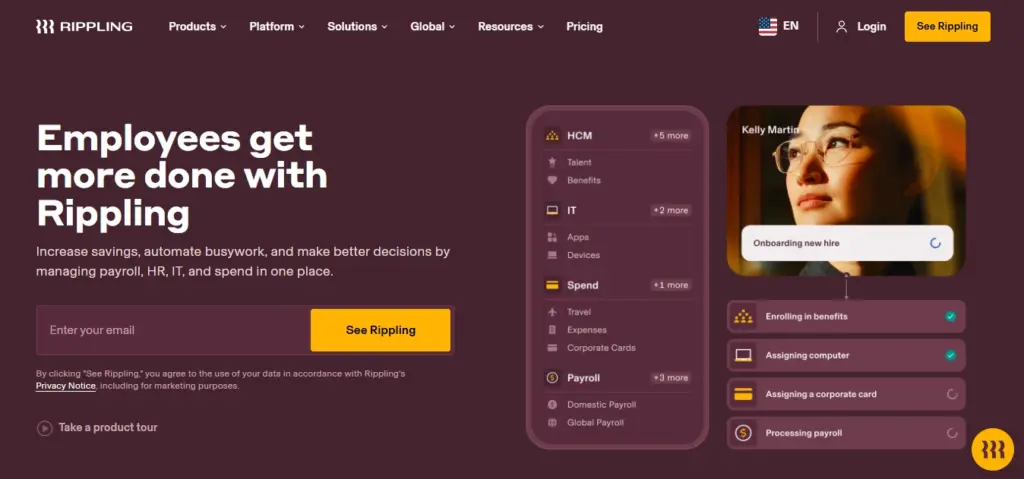
Key features:
- Automated time tracking tied directly to payroll.
- Geofenced and mobile clock-ins
- Overtime and break-rule automation
- Customizable approval workflows
- Real-time reporting and notifications
- Device and app provisioning alongside HR
Pros and Cons
| Pros | Cons |
|---|---|
| Strong integration between attendance, payroll, and IT | Pricing is quote-based, so budget for a sales cycle |
| Automates repetitive approval and exception workflows | Full value comes only when several modules are configured together |
| Can be heavier than a small hourly team needs | |
| Reporting and app functionality receive occasional criticism | |
| Support response times can lag during peak periods |
Verdict: Choose it when attendance shouldn’t live in a standalone app but inside the same system that runs pay and IT. It’s more than a time clock and is priced accordingly.
3. HROne
HROne pairs a full HRMS with strong attendance automation: shift rules, regularization, and payroll-ready hours with minimal manual touch.
Best for: HR teams that want attendance rules and exceptions handled automatically rather than chased by hand.
- Rating: 4.8/5 on G2
- Entry price: not published
- Free trial: free trial
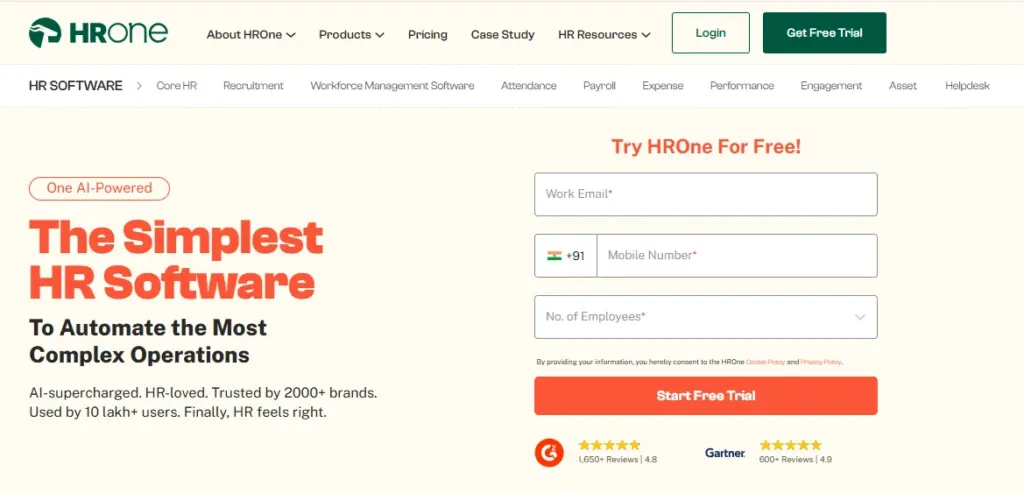
Key features:
- Automated attendance and shift management
- Self-service regularization of entries
- Payroll integration
- Leave and roster handling.
- Mobile check-in
Pros and Cons
| Pros | Cons |
|---|---|
| Reviewers praise the automation that cuts manual HR work | Some reviewers report slow loading at times |
| Clean, user-friendly interface | The breadth of modules takes setup to unlock |
| Strong for attendance and payroll in one flow | Quote-based pricing limits budget clarity |
| Depth can be more than a very small team needs | |
| Advanced reporting has a learning curve |
Verdict: Repeatedly calling out how much manual attendance work it removes—a good fit when automation depth matters more than the lowest sticker price.
4. Gusto
Gusto is the payroll-first pick: time tracking and PTO feed directly into pay and tax filing, which is exactly what a small US team needs day-to-day.
Best for: Small US businesses whose attendance is mainly hours, PTO, and clean payroll.
- Rating: 4.6/5 on G2
- Entry price: from $49/mo + $6/person/mo
- Free trial: free to sign up; billing starts when you run payroll
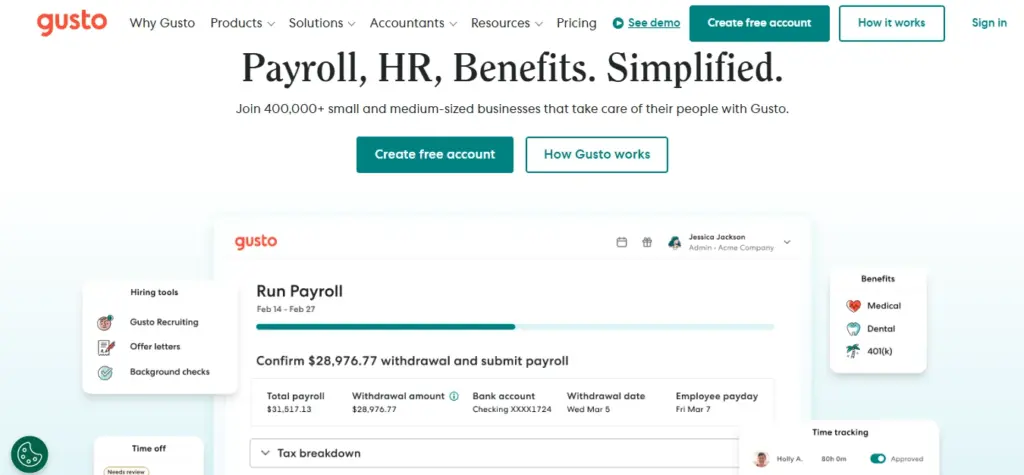
Key Features
- Built-in time and PTO tracking
- Automated payroll and tax filing
- Employee self-service
- Benefits administration
- Compliance reporting
Pros and Cons
| Pros | Cons |
|---|---|
| Consistently praised for ease of use | Some reviewers flag missing advanced features |
| Effortless time-to-pay automation for small teams | Support quality can be uneven |
| Published, predictable pricing | Attendance is lighter than a dedicated workforce-management tool |
| Fewer shift and scheduling controls | |
| Less suited to large or multi-site hourly teams |
Verdict: If your real need is accurate hours flowing cleanly into payroll, not geofencing across job sites, Gusto covers it at a small-business price.
Check out the Best Attendance System for Food and Beverage Industry.
5. Paycom
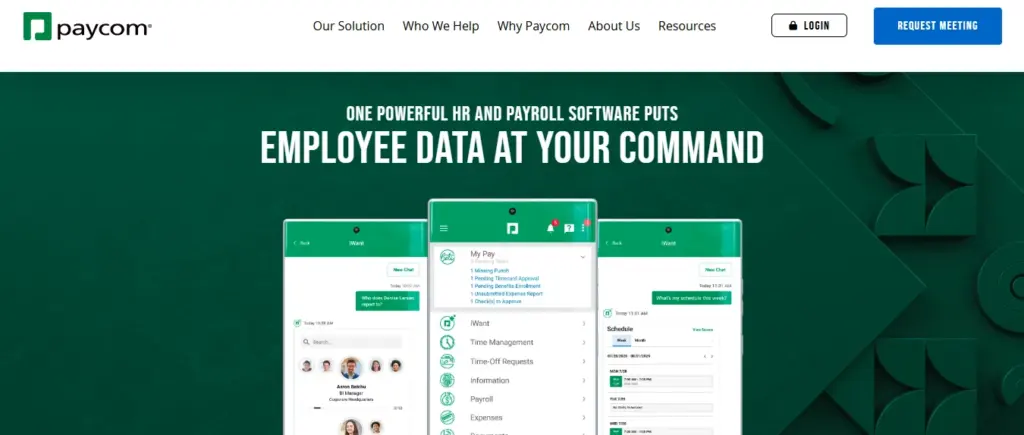
Paycom centers on an Attendance Tracking System with employee self-service, where employees can manage time, scheduling, and payroll information in one portal without contacting HR.
Best for: US companies that want employees to own their own time and payroll data.
- Rating: 4.6/5 on G2
- Entry price: not published
- Free trial: no free trial
Key Features
- Self-service time and attendance
- Scheduling
- Payroll and tax
- Expense management
- Talent tools
Pros and Cons
| Pros | Cons |
|---|---|
| Praised for an easy, all-in-one interface | Some reviewers report slow support |
| Strong self-service reduces HR tickets | Quote-based pricing limits budget clarity |
| Broad single-system coverage | Depth can overwhelm smaller teams |
| Setup is demo-led rather than self-serve | |
| Occasional friction in specific modules |
Verdict: It suits mid-market US employers that want a single self-service system for time and pay and are comfortable with a demo-led buying process.
6. Connecteam
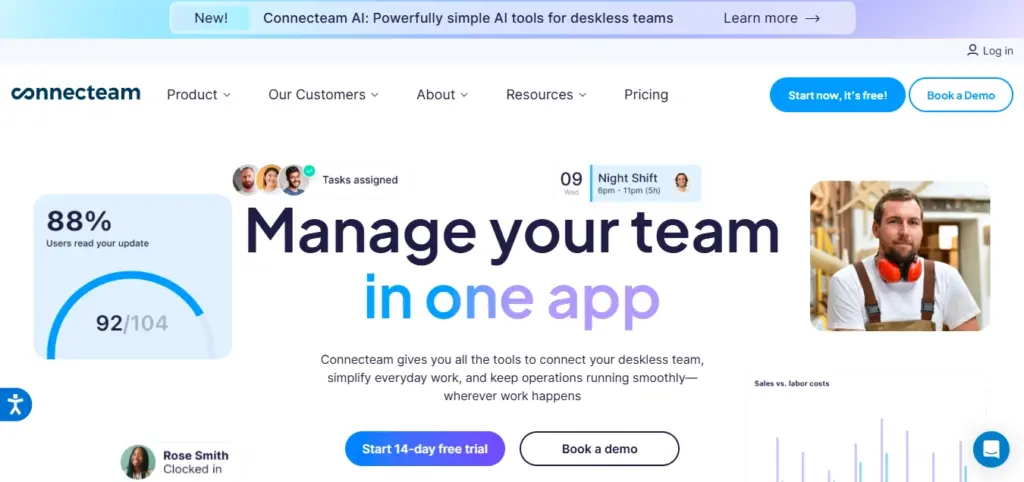
Connecteam is built for teams that never sit at a desk. Best Employee Attendance Software built for remote and hybrid teams, with mobile clock-ins with GPS, scheduling, and team communication in one app.
Best for: Frontline, field, and shift-based teams managed from a phone.
- Rating: 4.6/5 on G2
- Entry price: free plan for small teams; paid tiers scale up
- Free trial: free plan
Key Features
- GPS and geofenced mobile clock-ins
- Shift scheduling and swaps
- In-app team chat
- Task management
- Timesheet export to payroll
Pros and Cons
| Pros | Cons |
|---|---|
| Reviewers highlight ease of use | Some report missing niche features |
| Scheduling, time, and communication combined in one app | Heavier payroll and compliance needs may require an add-on |
| Genuinely mobile-first with a usable free plan | Advanced features sit behind higher tiers |
| Reporting is lighter than enterprise suites | |
| Best value only above a certain team size |
Verdict: For deskless and hourly teams in construction, retail, hospitality, and field service, it’s one of the strongest all-in-one options, with a free plan to start.
7. Homebase
Connecteam is a mobile-first Attendance Tracking App designed for deskless and frontline workers. It is one of the Best Attendance Management Systems globally for industries like retail, healthcare, and logistics.
Homebase focuses on the hourly-worker basics done well: scheduling, clock-ins, and timesheets that flow into payroll.
Best for: Single-location and small multi-location hourly businesses.
- Rating: 4.6/5 on G2
- Entry price: free plan (single location); paid tiers for more
- Free trial: free plan
Key Features
- GPS-powered Online Attendance System.
- Mobile-first design for frontline employees.
- Simple clock-in/clock-out system.
- Scheduling with Mobile and tablet clock-ins
- Timesheets
- Hiring tools
- Payroll sync
Pros and Cons
| Pros | Cons |
|---|---|
| Praised for a simple, intuitive interface | Some reviewers note limited customization |
| Manages scheduling and time in one place | Strongest for smaller footprints, not large enterprises |
| Free single-location plan lowers the barrier to entry | Advanced features require paid tiers |
| Multi-location control is lighter than enterprise tools | |
| Reporting depth is modest |
Verdict: For a café, shop, or small hourly team that needs simple scheduling and clock-ins, it’s a clean, affordable starting point.
8. Remote
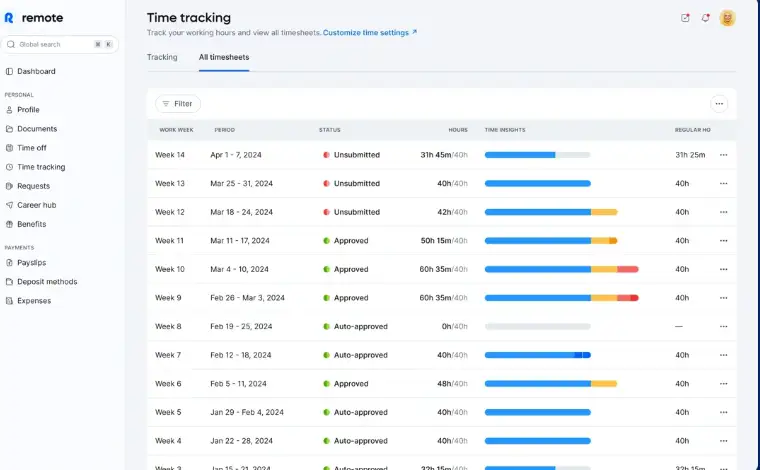
Remoting handles work, payment, and time issues for employees in different countries. This ensures consistent attendance and compliance regardless of employees’ location.
Best for: US companies employing team members or contractors internationally.
- Rating: 4.5/5 on G2
- Entry price: published per-worker pricing
- Free trial: free trial
Key features
- Global payroll and employment
- Time and PTO tracking
- Local compliance handling
- Contractor management
- Self-service documents
Pros and Cons
| Pros | Cons |
|---|---|
| Praised for an intuitive interface | Some report slower support at times |
| Responsive support for cross-border payroll | Broader than teams needing only domestic time tracking |
| Consistent compliance across countries | Per-worker pricing adds up |
| Attendance features are lighter than dedicated tools | |
| Overkill for a purely local team |
Verdict: Choose it when attendance and pay have to work across borders; domestic-only teams will pay for scope they may not use.
9. HiBob HRIS
HiBob (Bob) is a modern HRIS with built-in time tracking within a broader people-management and engagement platform.
Best for: Mid-market companies that want attendance inside an engagement-focused HRIS.
- Rating: 4.5/5 on G2
- Entry price: not published
- Free trial: no free trial
Key Features
- Time and attendance tracking
- Centralized employee data
- Engagement and culture tools
- Workflows and approvals
- People analytics and reporting
Pros and Cons
| Pros | Cons |
|---|---|
| Praised for an intuitive interface | Some flag limited features in specific areas |
| Centralizes HR while boosting engagement | Customization for local rules can be limited |
| Strong fit for scaling mid-market teams | Quote-based pricing |
| Attendance is one module, not the core focus | |
| Integration gaps noted by some reviewers |
Verdict: It’s a strong pick when attendance is one part of a wider people strategy rather than a standalone punch-clock need.
10. RUN Powered by ADP
RUN brings ADP’s attendance depth to small businesses, with time tracking that feeds a payroll engine built over decades.
Best for: Small US businesses that want proven payroll with attendance attached.
- Rating: 4.7/5 on G2
- Entry price: not published
- Free trial: no free trial
Key features:
Key Features
- Payroll and tax
- Time and attendance add-ons
- New-hire reporting
- Compliance support
- Employee self-service
Pros and Cons
| Pros | Cons |
|---|---|
| Praised for ease of use and quick setup | Some report customer-support friction |
| Strong, reliable payroll engine | Quote-based pricing |
| Solid support experience for many reviewers | Attendance is an add-on, not the core |
| Costs can climb with add-ons | |
| Interface feels dated to some users |
Verdict: When payroll accuracy is the priority and attendance is the main act, ADP’s track record is hard to beat for small teams.
Which one Time & Attendance Management Software for your requirement
The list above ranks tools overall. Most buyers arrive with one requirement that decides the shortlist, so here are the same tools mapped to the needs US buyers ask about most.
Requirement | Tools on this list that serve it |
Frontline / deskless clock-ins | Zimyo, Connecteam, Homebase, Hubstaff, Rippling |
Attendance inside a full HRIS | Zimyo, Rippling, BambooHR, HiBob, Keka, Employment Hero |
Payroll-first / final pay | Gusto, RUN Powered by ADP, Paycom, Zimyo, Paylocity |
Remote and global teams | Remote, Hubstaff, Rippling, Zimyo |
Complex hourly / shift rules | UKG Ready, Paycom, Paylocity |
Automation-heavy HR | HROne, Rippling, Keka, |
Key features to look for in an Attendance Management System
Organizations with a workforce management governance model (Center of Excellence) report 79% good or great satisfaction ratings. (Deloitte Workforce Management Study, 2025). Before choosing, understand as per labor laws which features reduce risk and cost—and which are marketing add-ons.
Clocking in/out functionality
First Clock in is the backbone. You need several options for real time data – app, web, kiosk, badge, and biometrics to enable all employees to track their time according to their job description. Customization start tracking attendance for working hours with mobile devices which makes the difference between a solution suited only for a desk clerk in a head office and one that works for field crews.
Integration with payroll software
This single criterion determines the product’s true value in daily use. When hours are authorized automatically, it ensures accurate payroll processing and eliminates the export-and-reconciliation step where mistakes usually happen.
Real-time reporting and analytics
Real-time reports turn time tracking into something actionable for managers. Its real value isn’t in reports, but in early detection of problems. Managers can react to attendance issues before shifts start and save money by planning overtime instead of dealing with it unexpectedly.
Mobile access and GPS tracking
With mobile clock-in or biometric attendance with GPS and geofencing, you can verify remote team and field team workers’ attendance records by ensuring they are at the right location and not punching in from elsewhere with mobile applications. For workers operating in low-connectivity areas, work schedules, demand offline capabilities, and tell employees you track their locations with facial recognition.
Ease of use and implementation
A powerful system with regulatory compliance and other systems nobody adopts delivers no ROI. Weigh how quickly you can go live, how much training staff need, and how the vendor supports rollout. AI-powered attendance tracking software solutions are emerging as top solutions for 2026, leveraging artificial intelligence to improve workforce management. (FieldProxy Resources, 2026)
Attendance system pricing guide
Pricing in this category varies more than almost any other HR tool, because “attendance” ranges from a free single-location clock-in app to an enterprise workforce-management suite.
Average cost of attendance systems
To start, some very robust solutions (Connecteam, Homebase, Hubstaff) offer free plans for smaller companies. Zimyo starts with $ 4 per employee/month. Entry price ranges from $10 per employee per month for BambooHR to $49 per month and $6 per head for Gusto. Mid-range and enterprise HR solutions like Rippling, Paycom, UKG Ready, Paylocity, RUN Powered by ADP, HiBob, and Employment
Per-employee vs. flat-rate pricing
Two pricing models reign supreme. The Per-Employee-Per-Month (PEPM) increases with the number of people — stable per person, yet increasing as you expand. Fixed-rate or tiered pricing tends to be cheaper for large groups and more expensive for small ones.
Hidden costs to watch for
This subscription fee does not include everything. Watch out for implementation and setup costs, extra hardware costs (e.g., kiosks, biometric devices), premium support costs, per-feature costs (e.g., scheduling, reporting), and migration costs if you have been using Excel spreadsheets or punch clocks. Ask all shortlisted vendors for the overall first-year cost.
Benefits of using an attendance system
A modern system pays back in four measurable ways, moving well beyond simply recording who showed up. Companies that focus on people performance management are 4.2 times more likely to outperform their peers, achieving an average 30 percent higher performance. (McKinsey People & Organization Research, 2024)
Reduce time theft and buddy punching
Buddy punching and rounding are the two major causes behind inflated payroll. Verification features biometrics, geofencing, and photo capture close those gaps at the source.
Automate payroll processing
This ROI value speaks to the decision-makers. Manually gathering timesheets and processing them takes time and resources, and automation cuts that time to minutes while eliminating calculations that can cause over- or underpayments.
Increase compliance and record-keeping
Automated processes for calculating overtime and breaks, and creating tamper-proof logs, will reduce the risk of administrative workload like wage claims, FLSA penalties, and audit failures.
Get workforce analytics
In addition to simply tracking time, attendance information gives insight into patterns, such as absenteeism, understaffing on certain shifts, and frequent need for overtime, and it helps managers to make decisions and address the issues. Studies show how people-oriented performance management leads to better results.
How to choose the right attendance system for your business
With this many capable options, the goal is to narrow it down fast. Work through these four questions in order.
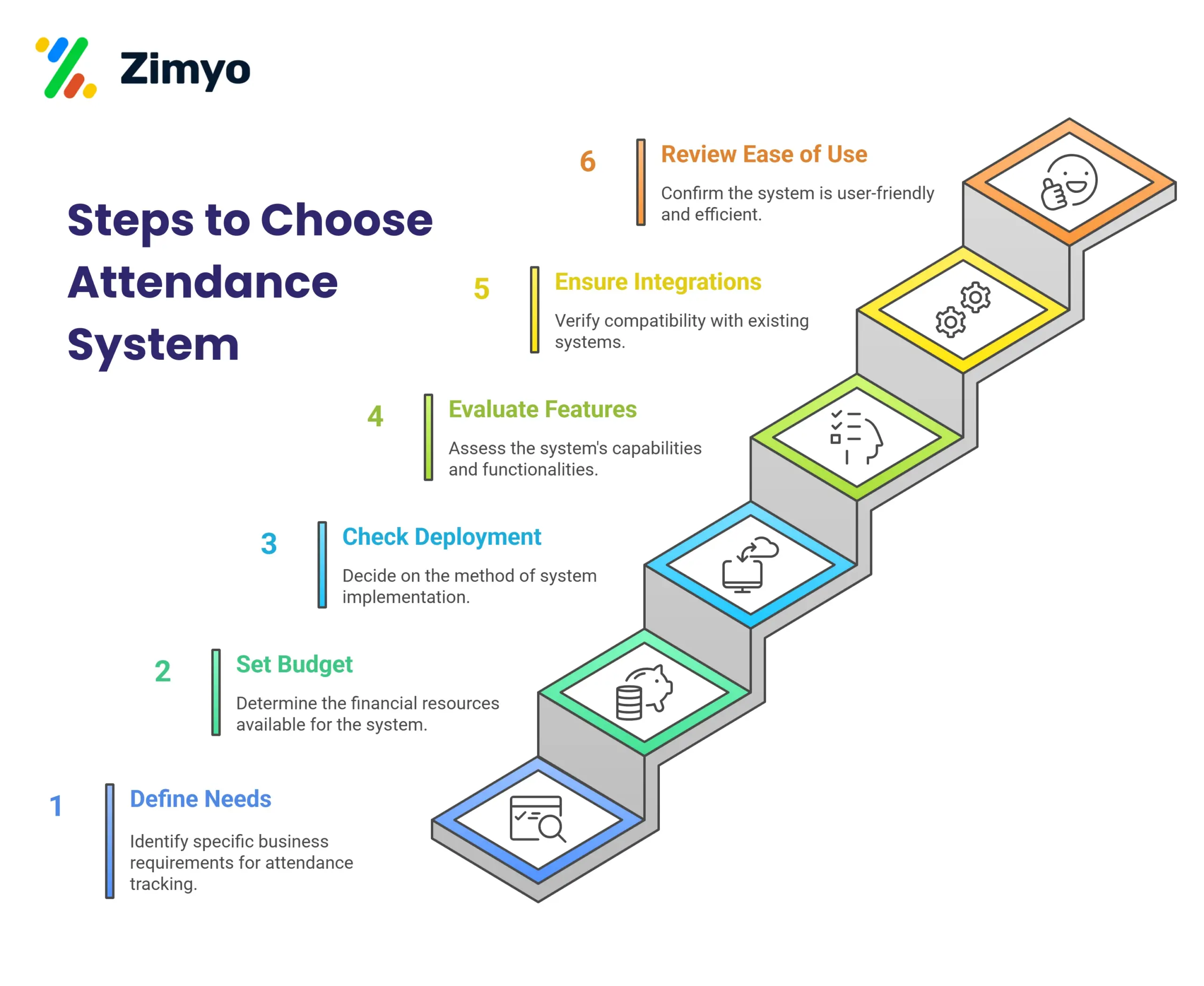
1. Evaluate your business size and industry
The first step is to understand your company’s requirements. A small business may only need a simple Attendance Tracking App, while a large enterprise might require a full-featured Best Attendance Management System with payroll and compliance features.
2. Define your must-have features
Start by identifying your requirements before making a final decision. Evaluate the product so that you’re comparing features and capabilities to your business needs rather than making a random choice.
4. Evaluate implementation and support
The purchase decision does not end there. Find out about realistic go-live schedules, training assistance, migration assistance, and responsive post-sales support – several products here receive negative feedback specifically for support, so be mindful of it.
By using these steps, you can pick the Best Attendance Tracking Software that saves time and keeps work smooth.
Case study: Cutting overtime with better attendance visibility
A 1,500-employee, 24/7 tire manufacturing plant struggled with reactive, last-minute overtime because supervisors only learned about call-offs at shift start. After moving to a text-based attendance and call-off system, supervisors gained earlier visibility into who wouldn’t show, letting them plan coverage before shifts began instead of scrambling. The result was a substantial reduction in overtime cost, plus a knock-on gain in production planning. The lesson generalizes: the value of attendance software often isn’t the clock-in itself- it’s the early visibility that lets managers act before a gap becomes expensive. Full case: TeamSense case studies.
Conclusion
Choosing the Best Attendance System is not just about tracking time; it is about improving efficiency, ensuring compliance, and building trust in the workplace. From simple Attendance Tracking Apps to advanced Cloud Based Attendance Systems, businesses have many options that can fit their needs. The right Attendance Management System reduces errors, integrates with payroll, and empowers HR teams with accurate data.
By following the right steps and focusing on features that matter, organizations can confidently select the Best Employee Attendance Software that supports growth and productivity. In today’s digital world, investing in a reliable Workforce Attendance System is no longer optional, it is essential for long-term success.
Frequently Asked Questions (FAQs)
What is the most accurate attendance system?
Accurate attendance comes from verification, not a specific brand. Biometric clock-ins (fingerprint or face), geofencing, and photo capture all cut out buddy punching. At the same time, the most accurate systems combine verification with a policy.
Are attendance systems worth the money for small businesses?
Yes especially when there are no costs at the beginning. Zimyo, Connecteam, Homebase, and Hubstaff offer free plans for small teams. More advanced, more expensive software such as Gusto and BambooHR also offers affordable pricing plans. The return on investment shows up as saved manager time, fewer payroll issues, and reduced compliance risk.
Can attendance tracking systems interface with my current software?
These systems generally work with payroll and HRIS software – that’s their fundamental selling point. Zimyo, Gusto, Rippling, Paycom, Paylocity, RUN Powered by ADP, UKG Ready, BambooHR, and Keka send hours directly to your payroll system. Other attendance tracking apps like Hubstaff send hours or sync with your payroll service. Lack of compatibility with your software is a major last-minute deal-breaker, so make sure you’re covered before committing.
Which employee attendance machine is the best?
The best attendance machine will vary depending on your workers and what type of verification you need. The biometric attendance machine using fingerprint and facial recognition can solve the problem of buddy punching, and the mobile and web-based attendance system allows greater flexibility for remote and field workers. When it comes to companies who wish to have their attendance integrated with payroll and HR, then an attendance management system is more practical.
How are time tracking and attendance systems different?
They have much in common but are not interchangeable. Time tracking measures time usage by counting hours spent on tasks, projects, or clients, and is popular in agencies and remote work; attendance measures presence and absence, confirming clock-in/out times and late arrivals for payroll.