
You shop for HR software vendors, choose the affordable solution with its nice per-user price, subscribe, and then see the "budget" application slowly become one of your most expensive expenses a year later. It’s a typical situation, and in 99% of cases it happens for one simple reason: the price shown on the pricing page is never the actual price you will have to pay.
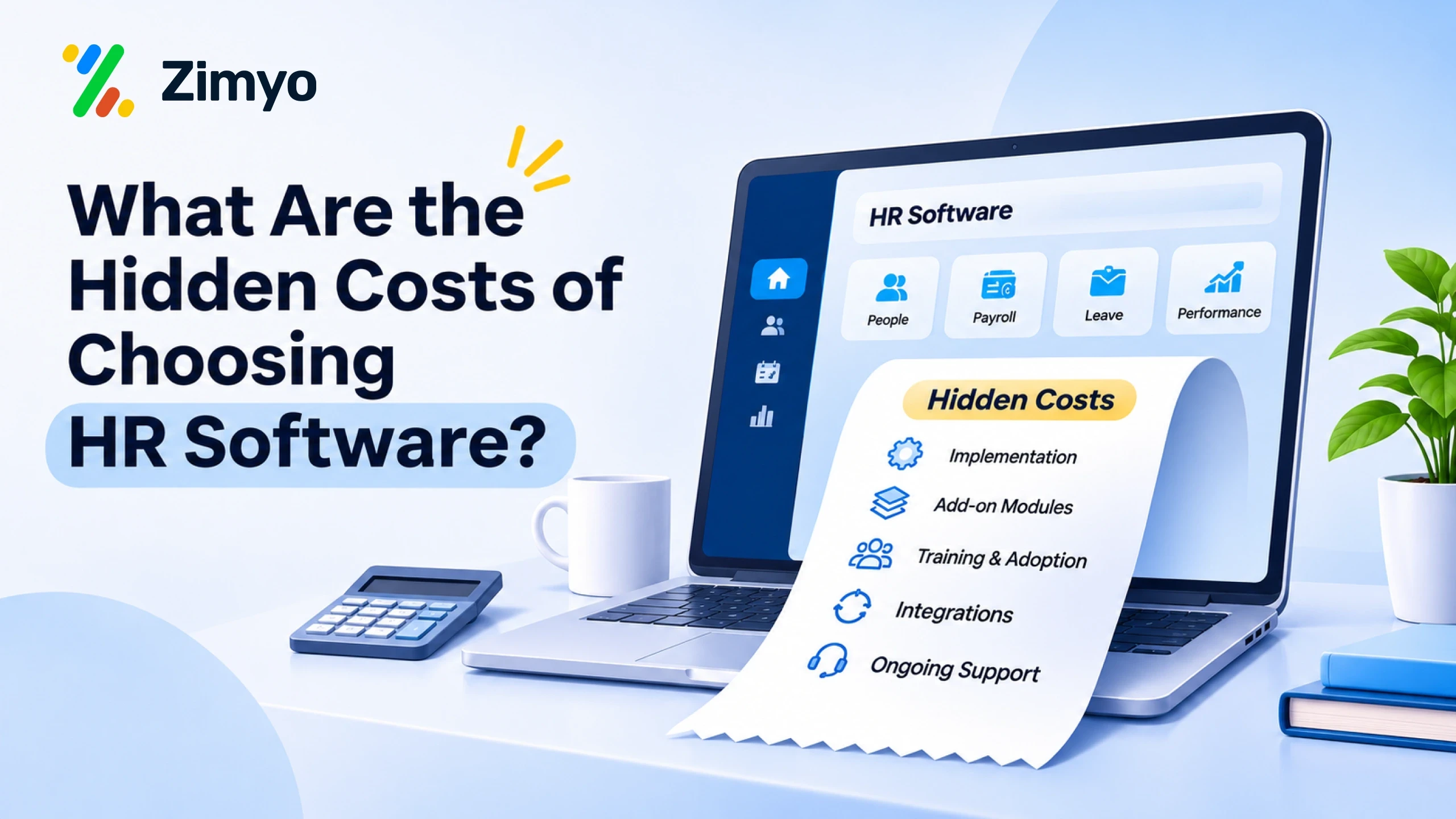
In HR software, a long list of additional expenses isn't covered by the initial price quotation: implementation, data migration, integrations, support tiers, add-ons, customization, maintenance fees, etc. Separately, each of these costs may look insignificant – but taken together, they may double your actual costs.
As per Gartner Study, 84% of HR software buyers face implementation issues during software deployment, which can contribute to buyer regret.
This guide uncovers hidden costs in HR software solutions, introduces the total cost of ownership concept, and provides questions to ask before signing a deal.
Key Takeaways
- Look beyond per-employee pricing when evaluating HR software.
- Check implementation, migration and training charges before choosing a vendor.
- Verify which HR modules and integrations are included in the selected plan.
- Review scalability, renewal terms and support costs to avoid future surprises.
- Calculate long-term expenses to find an HR solution that delivers better value for money.
Why HR Software Pricing Is Misleading
Integrating your HR system with payroll, biometric devices, accounting software, job boards, or CRMs may require per-integration fees or a higher-priced subscription plan. Make sure the integrations you need are available and whether they will cost extra.
At least three factors make pricing unreliable. One of them is feature gating – most of the basic features (such as payroll, advanced reports, mobile app) are typically available only on higher tiers or as separate add-ons. Second is a set of one-time fees – the costs associated with implementation, migration, and training are usually specified separately. The third factor is growth-related costs – while the solution may be priced reasonably for 50 users, the pricing model may not be suitable for further expansion.
The Hidden Costs, One by One
Here are the costs that most often catch buyers out, and what to watch for.
1. Implementation and setup
A number of software companies offer an initial installation fee for customizing the software and getting it up and running. The fee varies widely depending on the work needed, but vendors usually charge it after you commit to buying their software.
2. Data migration
Moving existing employee records, salary structures, leave balances, and historical payroll into the new system takes effort, and some vendors charge for it. Messy or legacy data makes it costlier. Clarify whether migration is included, and what formats and volumes are covered.
3. Integrations
Integrating your HR system with payroll, biometric devices, accounting software, job boards, or CRMs may require per-integration fees or a higher-priced subscription plan. Make sure the integrations you need are available and whether they cost extra.
4. Training
Getting HR admins and employees up to speed may involve paid training sessions, onboarding support, or premium enablement. Self-serve help centers are usually free; live or tailored training often isn't. Ask what's included and what's chargeable.
5. Support tiers
Basic email support is usually provided for free, while priority support, an assigned account manager, or expedited service level agreements are usually reserved for higher tiers or additional charges. Since responsiveness matters for payroll, don't assume this is included at your current tier.
6. Add-on modules
The initial price point might include basic HR, but payroll, performance, recruiting, engagement, or analytics may be optional components you pay extra for. An apparently inexpensive product can become much more expensive once you factor in everything you really need.
7. Customization
Custom workflows, reports, fields, or approval chains beyond the standard setup can attract development or configuration charges. Ask what's configurable yourself versus what needs paid customization.
8. Upgrades and version changes
Cloud software usually includes updates, but major version upgrades, new premium features, or moving to a higher edition can cost more. Confirm whether you'll be pushed toward costlier tiers over time.
9. Cost scaling
The per-user pricing plan that works for you now could be much higher once you have more staff, branches, or organizations. Seasonal hiring surges could also increase your usage-based costs. Project your cost based on your estimated number of staff.
10. License requirements and terms of agreement
Your license terms could include annual commitments, minimum user numbers, automatic renewals, and cost escalations. Make sure you understand the license terms, and inquire about future price changes.
Understanding Total Cost of Ownership
The honest way to compare HR software is by total cost of ownership (TCO), the full cost of buying, running, and growing with the tool over a realistic period, usually two to three years, not just the monthly subscription.
A simple way to estimate it: take the subscription cost at your projected headcount, then add the one-time costs (implementation, migration, initial training and customization) and the recurring extras (add-on modules, premium support, integrations, annual price increases). Put two or three vendors through the same exercise and the "cheapest" option on the pricing page often isn't the cheapest overall.
TCO also has a flip side: value. A slightly higher subscription that includes payroll, attendance, and support, and saves your HR team hours each week, can deliver a far better return than a bare-bones tool you keep paying to extend. The goal isn't the lowest price; it's the lowest real cost for what you actually need, with a clear return.
Questions to Ask Before You Sign
Make sure you have clear and written answers to the following questions before adopting any HR software:
- Can you implement the software, and how much does it cost?
- Does it include data migration, and what exactly does it entail?
- What functionality is included in this package, and what would require an upgrade?
- Does it include payroll processing, performance management, recruitment management, and analytics?
- Does the package offer any integration options, and if so, at what cost?
- What support does this package include, and what does priority support cost?
- Is training included, and if so, is it provided live or online?
- How does pricing change when we add more employees, entities, or locations?
- What is the term of commitment, minimum number of users, renewal options, and annual price increase?
- Can we customize it, or does it require paid development?
How to Avoid Hidden Costs
There is no better way to avoid surprises than through transparency and consolidation. The best option is to combine all the components you need—HR, payroll, attendance, and self-service—into one package at a transparent cost. This will always work out better than an affordable base component you will have to keep expanding.
This is where an all-in-one platform like Zimyo helps. It brings Core HR, payroll, attendance, recruitment and engagement together, so the capabilities most vendors sell as separate paid modules sit on one platform, with clear, quotation-based pricing by team size and modules rather than a low headline that climbs later. That consolidation keeps the real two-to-three-year cost predictable.
Of course, no system comes without its initial investment costs. What differs from platform to platform is how upfront they are about it. If you want to compare Zimyo with any other software vendor, ask the questions outlined above, get all the details in black and white, and compare your TCOs.
Conclusion
Here's the good news: once you know where the hidden costs hide, they're easy to avoid, and HR software goes from a nervous purchase to one of the smartest investments you'll make. Look past the per-user headline, ask the hard questions in writing, and compare vendors on what you'll really pay over two to three years for what you actually need.
Do that, and the picture gets genuinely exciting. The right HR software doesn't just avoid surprises, it pays you back: hours saved every week, errors and penalties avoided, happier employees, and clean data to grow on. A transparent, all-in-one platform turns HR from a cost centre into an engine for a faster, smarter, better-run business.
That's the real opportunity. Choose clearly, invest in the right platform, and you don't just control costs, you unlock a return that compounds as you grow. An all-in-one HRMS like Zimyo is built for exactly that: everything in one place, clear pricing, and value you can measure from day one. Book a demo and see what a no-surprises, high-return HR platform looks like for your team.
Frequently Asked Questions
What hidden costs are associated with HR software?
They include implementation costs, integration, customization, migrations, training, upgrades, premium support packages, and add-ons like payroll modules and performance management. Most of them aren't included in the advertised price per employee.
Why is HR software priced higher than the advertised price?
Because the advertised price normally covers the basic platform. Some core features are available only in higher packages, while some implementation and migration costs are charged separately. Additionally, your costs keep growing as your business grows, so that they can be much higher than the quoted price.
What is the total cost of ownership of HR software?
It includes all the costs incurred during purchasing, implementing, upgrading, scaling, and supporting the software for two or three years. TCO represents the true cost of the solution and therefore is the best way to compare different solutions.
How can I guard myself against the hidden costs of HR software?
Check with the vendor in writing what is included in their cost estimates and what isn’t, model costs based on your expected future headcount, review the contract terms, and compare using TCO. Choose transparent, all-in-one software to avoid additional costs.
Is inexpensive HR software always better value for money?
No. While a low base cost might work out expensive when you factor in the additional modules and support you'll need, a slightly more expensive all-in-one solution that saves hours per week for your HR team may be worth more.