
Selecting the right HRIS Systems for a mid-sized organization isn’t the same as selecting one for small businesses or enterprises. With between 100 and 500 people, you’ve moved past using spreadsheets and basic payroll solutions but don’t have a full-time HRIS Administrator, infinite budgets, or any interest in an 18-month implementation process. You need an HR solution flexible enough to handle state-by-state payrolls and analysis, yet manageable for a 2-5 person HR department.
The market does not make that easy. Why HR leaders increasingly rely on comparison guides rather than starting from a blank page. When the noise is filtered out, seven platforms consistently surface for small and mid-size organizations
In this buyer’s guide, we list the top HRIS systems for midsized companies , score them against identical factors, and provide an unbiased review (with a special focus on the areas vendors usually gloss over), followed by analysis that goes beyond listicles to the real determinants behind any buying decision.
Quick picks: who should choose what
- Zimyo — Best value HRMS with attendance and payroll built into one record.
- Rippling — Best when HR, IT, and payroll should run on a single employee record.
- Gusto — Best payroll-first option for smaller and lower-mid-market teams.
- Paycom — Best employee self-service, so staff own their own data.
- HiBob (Bob) — Best for engagement-led, internationally distributed mid-market teams.
- Paylocity – Best when it comes to advanced workforce management and built-in reporting.
- BambooHR – Best for first-day ease-of-use and quickest to implement.
- UKG Pro – Best when it comes to difficult payroll and shift-intensive workforces.
- ADP Workforce Now – Best when it comes to ironclad multi-state compliance.
- TriNet – Best PEO alternative where HR needs to be serviced.
- Dayforce – Best when it comes to continual payroll calculations and one platform for HCM.
- Workday HCM – Best for businesses growing into enterprise.
- Paycor – Best when payroll flexibility and midmarket simplicity matter most.
- Namely – Best purpose-built midmarket people platform to review.
Our research methodology
Our analysis focused on the criteria a 100-to-500-person company actually feels day to day:
- Pricing transparency – Published PEPM pricing versus quoting only.
- Ease of implementation – Realistic time from contract signing to go live, and internal resource commitment involved.
- Payroll & tax support – Vendor handles and is liable for filing payroll taxes in all 50 states, or relies on an outside source.
- Integration – Does the vendor have native integrations with your accounting system, ATS, and benefit carriers, or will you need middleware?
- Scalability – How far up the capability curve the platform goes as your employee base grows.
- Support model – Account management versus tickets and chatbots, as well as support hours.
- Employee experience – Adoption drives ROI, not administrative capabilities.
Comparison table: top 14 HRIS systems for midsize companies
| # | Tool | Best for | G2 rating | Entry price |
|---|---|---|---|---|
| 1 | Zimyo | Value HRMS with attendance + payroll | 4.5/5 | from $4/user/mo |
| 2 | Rippling | HR + IT + payroll on one record | 4.8/5 | not published |
| 3 | Gusto | Payroll-first small & lower-mid teams | 4.6/5 | $49/mo + $6/person/mo |
| 4 | Paycom | Employee self-service | 4.6/5 | not published |
| 5 | HiBob (Bob) | Engagement-led mid-market | 4.5/5 | ~$18–25 PEPM (quote) |
| 6 | Paylocity | Workforce management + reporting | 4.4/5 | ~$38–48 PEPM all-in |
| 7 | BambooHR | Ease of use, fast setup | 4.4/5 | ~$14–28 PEPM |
| 8 | UKG Pro | Complex payroll and shift rules | 4.3/5 | not published |
| 9 | ADP Workforce Now | Multi-state compliance depth | 4.2/5 | ~$45–55 PEPM all-in |
| 10 | TriNet | PEO — HR handled as a service | 4.2/5 | per-employee (quote) |
| 11 | Dayforce | Continuous, unified HCM | 4.2/5 | not published |
| 12 | Workday HCM | Scaling toward enterprise | 4.1/5 | not published |
| 13 | Paycor | Payroll flexibility, mid-market fit | 3.9/5 | not published |
| 14 | Namely | Purpose-built mid-market platform | 3.9/5 | not published |
Browse the full category on G2: Note that Rippling was named a top global company and best software product in G2’s 2026 Best Software Awards, which is reflected in its rating and review volume.
HRIS vs HCM - are you even going into the right category?
Most “best HRIS” lists assume you already know what you need. Most mid-sized buyers don’t, and choosing the wrong category is the costliest mistake you can make right now. Figure this out before you even go through one demo.
- HRIS (Human Resources Information System) is the system of record for people data – employee records, PTO, onboarding, basic reporting, and nowadays – also payroll. BambooHR, HiBob, and Namely are here. This category suits most companies with 100 to 500 people and organizational, but not operational, complexity.
- HCM (Human Capital Management) suite adds to the HRIS core more advanced workforce management: labor scheduling, forecasting, intricate overtime rules, talent and succession management, and payroll. UKG Pro, Dayforce, Workday, ADP Workforce Now, and Paylocity are closer to this side. If you have shift-based operations, multi-state, or more than 500 heads, HCM stops being a waste of engineering and becomes a requirement.
Blunt filtering:
single state + simple operations + small HR department = PEO or light HRIS
multi-state, shift complexity or HR operations = HCM-like platform
everything else in between = modern HRIS
And if your company grows 30%+ yearly – seriously consider waiting.
Cloud-based vs on-premise HRIS: The honest trade-offs
Almost every platform is cloud-based (SaaS), and for good reason, but midsize buyers in regulated or data-sensitive industries still ask, so hereis a straight comparison.
1. Cloud-based (SaaS) HRIS
Pros: No servers to buy or maintain; the vendor handles updates, security patches, and, critically for HR, automatic compliance updates as tax and labor laws change. Predictable PEPM subscription cost, fast implementation (weeks, not quarters), accessibility from anywhere, and native mobile apps your employees will actually use. This is why cloud dominates the modern market and why nearly all recent innovation, including newer entrants like Humans built for high-growth teams, is cloud-first.
Cons: Recurring costs keep coming back; you depend on the vendor’s availability and roadmap; data sits on the vendor’s servers, raising concerns for organizations that need data residency; and switching vendors later becomes an additional migration project.
On-premise HRIS
Pros: Absolute control over the information and its physical location; a one-time license rather than an ongoing subscription; and extensive tailoring for companies with special internal needs.
Cons: High initial investment, plus hardware, personnel, and support you’ll have to keep forever. You must secure everything and—and this is the biggie for HR—make sure the system is updated whenever there is even a slight change in payroll taxes and labor law, which is precisely the job an average mid-sized HR department cannot take on.
Verdict for midsize companies: The cloud comes out on top for almost all. Compliance update automation alone makes a huge case for it – a system that adapts itself to a new state pay transparency law overnight is more valuable than any amount of local control to a lean team. On-premise only makes sense if you have regulatory or data sovereignty requirements, plus the in-house expertise to make it work, which most 100-to-500-person companies don’t.
List of 14 Best HRIS Systems for Midsize Companies
- Zimyo
- Rippling
- Gusto
- Paycom
- HiBob (Bob)
- Paylocity
- BambooHR
- UKG Pro
- ADP Workforce Now
- TriNet
- Dayforce
- Workday HCM
- Paycor
- Namely
Best HRIS Systems for Midsize Companies: Explained in Detail
1. Zimyo
Zimyo is an HR & Payroll Management tool for small and lower mid-sized organizations, where attendance, leaves, payroll, and performance all live under one employee profile, ensuring that hours recorded when clocking in go directly into payroll. Frequent feature updates keep it aligned with the latest HR best practices, ensuring you always stay ahead in workforce management.
Best for: Companies of roughly 50 to 500 employees that want a full HRMS with attendance and payroll built in, at an affordable, published price.
Rating: 4.5/5 on G2
Entry price: from $4/user/mo
Free trial: no free trial


Key Features of Zimyo:
- Attendance and shift tracking with policy customization
- Biometric, mobile, and web clock-in
- Leave management and entry regularization
- Payroll integrated with attendance-based salary calculation
- Live dashboards and reports
- Employee self-service across the full lifecycle
Pros & Cons
Pros | Cons |
Lowest published entry price here for a full HRMS | Smaller G2 review base than the incumbents |
True all-in-one: attendance, payroll, leave, performance in one record | Some features take a moment to locate at first |
SMB-friendly pricing with no setup fees on entry plans | Mobile app trails desktop in a few areas |
Quick implementation with a dedicated relationship manager | Best fit below the upper mid-market, not enterprise |
Verdict: Zimyo will be your value choice if you need attendance, payroll, and core HR management integrated into one affordable application rather than a kludgy combination of a time-clock system and a payroll solution. With its publicly available $4 per user per month starting price point, Zimyo beats all quote-only competitors in the running, and the one-record approach eliminates the need for exporting and reconciling, where most payroll mistakes take place. Zimyo has the fewest reviews among the competitors listed above, so make sure it meets your compliance requirements.
2. Rippling
Rippling connects HR, IT, and Finance on a single employee record, so onboarding a hire can provision their payroll, benefits, laptop, and app access in one workflow.
Best for: Tech-forward companies of 100 to 400 employees that want deep automation and IT/device management alongside HR.
Rating: 4.8/5 on G2
Entry price: not published (quote-based)
Free trial: no
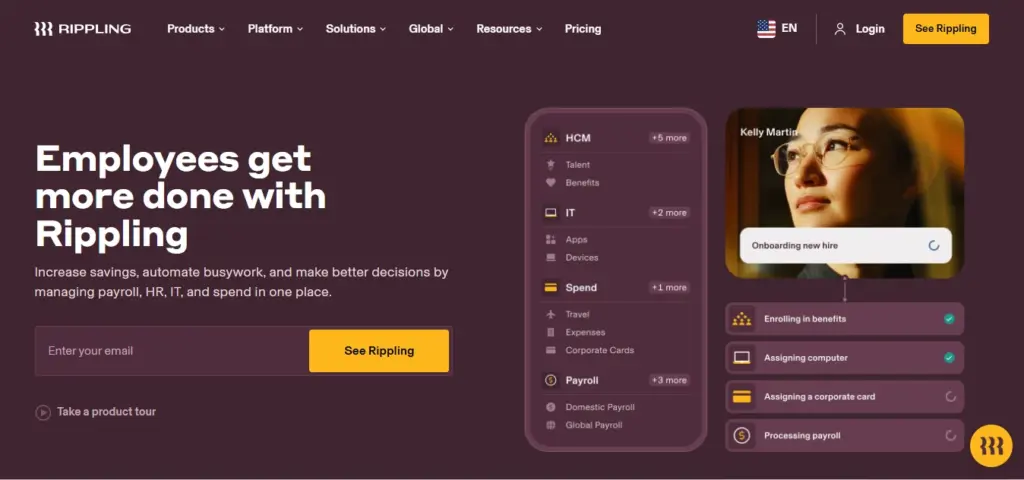
Key features:
- Time tracking tied directly to payroll
- Geofenced and mobile clock-ins
- Overtime and break-rule automation
- Native device and app provisioning
- Unlimited API calls for custom reporting
- Real-time reporting and workflow automation
Pros and cons:
Pros | Cons |
Highest-rated platform here by a wide margin | Quote-based pricing; budget for a sales cycle |
Best-in-class integration depth and automation | Full value only appears once several modules are configured |
Files and calculates payroll tax in all 50 states in-house | Support skews toward chatbot/email with 24–48h response |
Complete data export, including years of pay history | You are betting on a venture-backed vendor’s long-term roadmap |
Verdict: Choose it when you want the most automation and the deepest integrations.
3. Gusto
Gusto is the payroll-first pick: automated payroll and tax filing, benefits, and PTO in a famously easy interface, with published pricing that smaller teams can sign up for without a sales call.
Best for: Small and lower-mid-market US teams whose core need is clean payroll, PTO, and benefits rather than complex workforce management.
Rating: 4.6/5 on G2
Entry price: $49/mo + $6/person/mo
Free trial: free to sign up; billing starts when you run payroll.
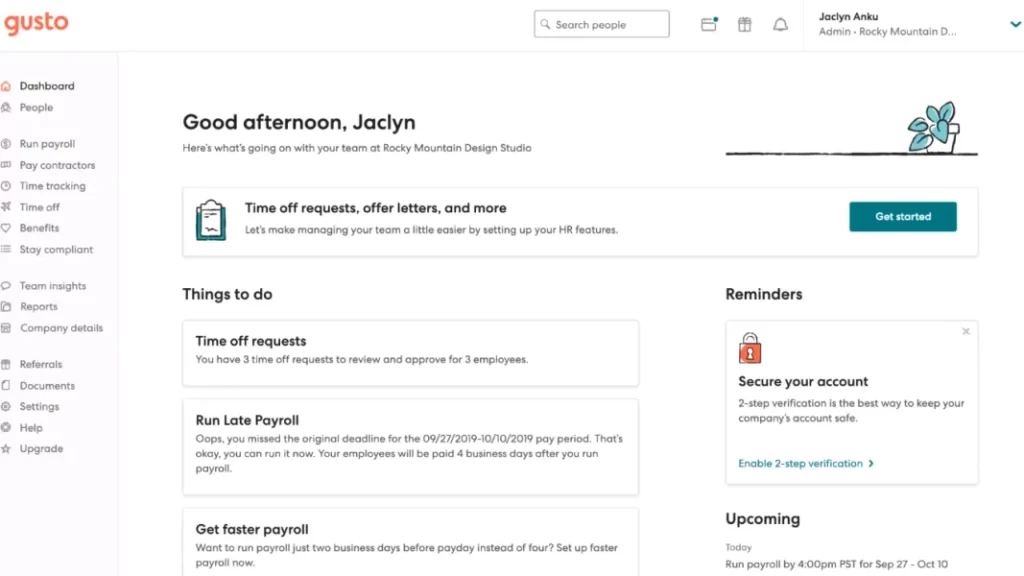
Key features:
- Automated full-service payroll and tax filing
- Built-in time and PTO tracking
- Benefits administration
- Employee self-service and onboarding
- Compliance reporting
Pros and cons:
Pros | Cons |
Consistently praised for ease of use and fast onboarding | Review base skews ~84% small-business |
Published, predictable pricing | Lighter workforce management and shift controls |
Effortless time-to-pay automation | Fewer advanced HR controls than dedicated mid-market suites |
Strong, responsive customer support | Larger midsize teams may outgrow it |
Verdict: The honest caveat for this guide is fit: Gusto’s user base leans small-business heavily, so companies in the upper half of the midsize range with multi-state shift complexity often outgrow its HR depth. For a lower-mid-market team whose real need is accurate, automated pay, it is excellent value.
Key Features :
- Continuous Payroll Processing
- Unified HCM & Finance Platform
- Adaptive Planning
- Embedded AI & Machine Learning
- Global Compliance Updates
Pros & Cons:
Pros | Cons |
Consistently praised for ease of use and fast onboarding | Review base skews ~84% small-business |
Published, predictable pricing | Lighter workforce management and shift controls |
Effortless time-to-pay automation | Fewer advanced HR controls than dedicated mid-market suites |
Strong, responsive customer support | Larger midsize teams may outgrow it |
Verdict: The honest caveat for this guide is fit: Gusto’s user base leans small-business heavily, so companies in the upper half of the midsize range with multi-state shift complexity often outgrow its HR depth. For a lower-mid-market team whose real need is accurate, automated pay, it is excellent value.
4. Paycom
Paycom centers on employee self-service: staff manages their own time, scheduling, and payroll data in one portal, cutting HR ticket volume.
Best for: Mid-market US employers that want employees to own their own time and pay data.
Rating: 4.6/5 on G2
Entry price: not published
Free trial: no
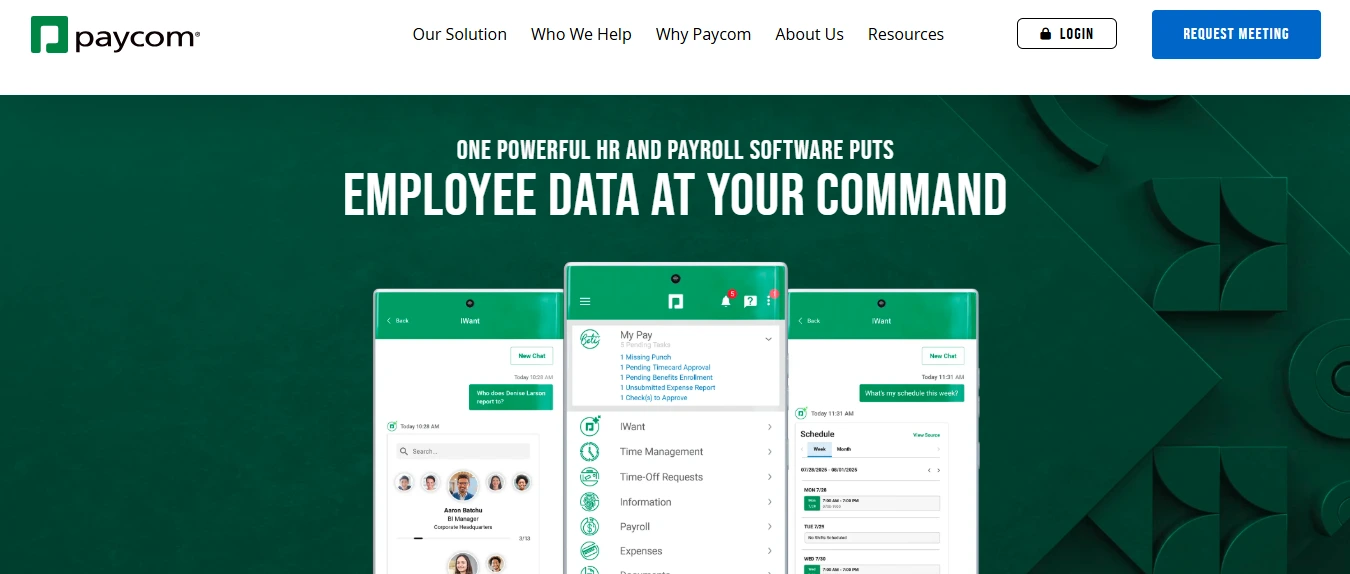
Key Features :
- Self-service time and attendance
- Scheduling
- Payroll and tax filing
- Expense management
- Talent tools
Pros and cons:
Pros | Cons |
Strong, easy all-in-one self-service interface | Quote-based pricing limits budget clarity |
Fewer HR tickets once employees adopt it | Depth can overwhelm smaller teams |
Broad single-system coverage | Demo-led buying process rather than self-serve |
Full-service payroll with tax liability | Some reviewers report slow support |
Verdict: Paycom suits mid-market employers who genuinely want to push data ownership down to employees. The self-service model can dramatically reduce HR’s transactional load but only if your workforce adopts it, so weigh employee tech comfort. Expect a demo-led sales process and a quote rather than a published price.
5. HiBob (Bob)
HiBob is a modern HRIS that wraps time and core HR inside a broader people-management and engagement platform, with genuinely strong multi-country support.
Best for: Mid-market companies of 150 to 400 employees, especially those with meaningful international headcount, that prioritize culture and engagement.
Rating: 4.5/5 on G2
Entry price: ~$18–25 PEPM (quote-based)
Free trial: no
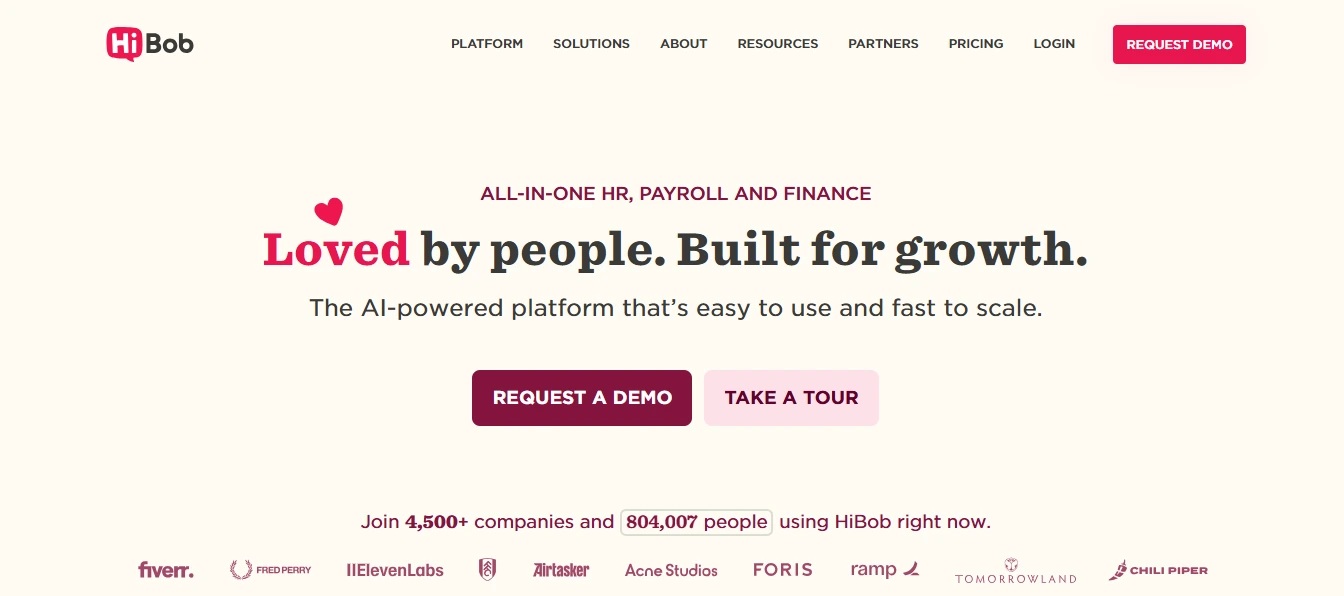
Key Features:
- Time and attendance tracking
- Centralized people data
- Engagement and culture tools
- Workflows and approvals
- People analytics
- Strong native multi-country support
Pros and cons:
Pros | Cons |
Polished, intuitive admin experience | Partners with third-party processors for US payroll, so tax updates can lag 1–2 pay cycles |
Best-in-class global payroll partnerships | Mobile time entry takes more taps than shift-first rivals |
Strong for scaling, engagement-focused teams | Feature ceiling around 500–750 employees |
Consistently named a mid-market leader | Quote-based pricing; US-only teams overpay for global scope |
Verdict: HiBob shines when attendance is one part of a wider people strategy and when 25%-plus of your headcount sits outside the US. The interface wins over HR teams in demos.
6. Paylocity
Paylocity pairs modern payroll with sophisticated workforce management—scheduling, labor forecasting, and reporting — strong enough that finance teams build dashboards directly inside it.
Best for: Companies of 150 to 500 employees needing real workforce management alongside core HRIS, with responsive support.
Rating: 4.4/5 on G2
Entry price: ~$38–48 PEPM all-in
Free trial: no
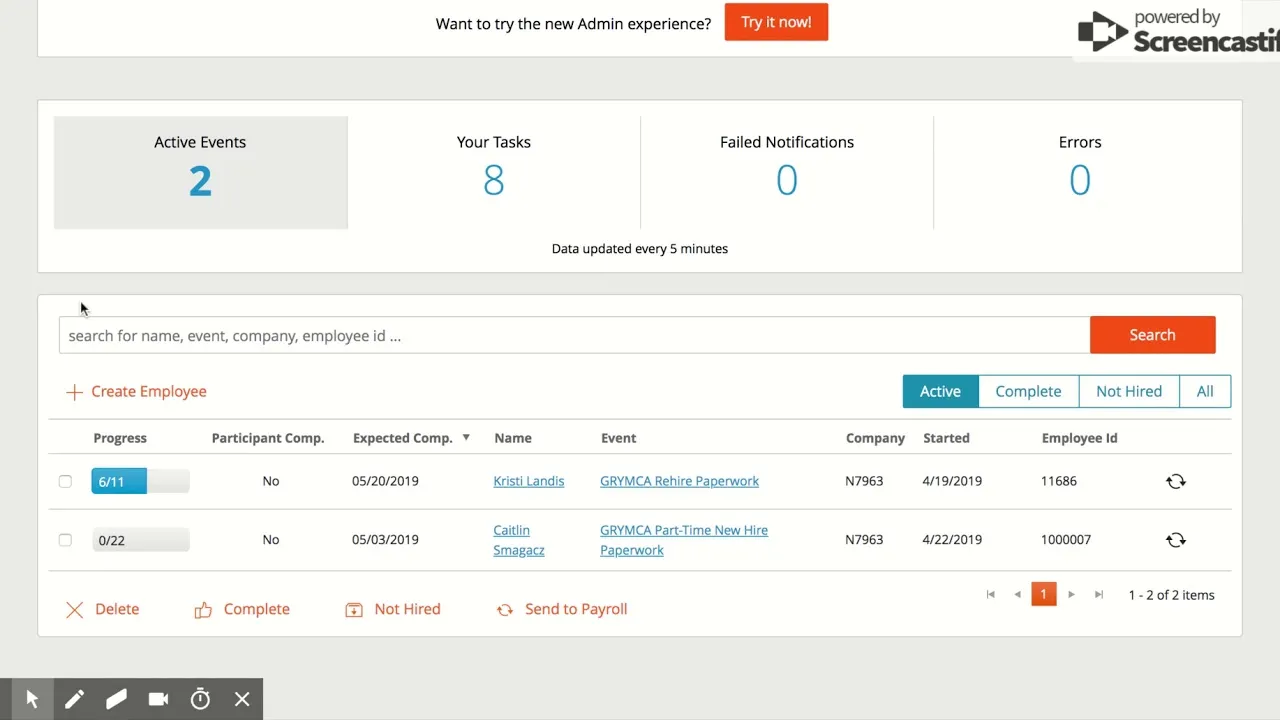
Key Features:
- Payroll and tax filing (full-service, all 50 states)
- Scheduling and labor forecasting
- Native reporting and headcount analytics
- Benefits and spend management
- Mobile clock-in with 50-foot geofencing and offline punch queuing
- Engagement and communication tools
Pros and cons:
Pros | Cons |
Best balance of workforce management + reporting here | Premium pricing at the top of the mid-market range |
Native reporting removes the weekly Excel-export ritual | Support is dedicated but business-hours only |
Full-service payroll with tax liability transfer | Some reviewers cite a learning curve and occasional support waits |
Tight geofencing and offline-capable mobile punch | Over-featured for very small teams |
Verdict: Paylocity is the pick when you need genuine workforce management one 320-person healthcare team chose it specifically because FP&A could build headcount-to-revenue dashboards inside the HRIS. It positions itself as the single source of truth for employee data, and for complex mid-market needs the feature-to-service balance justifies the premium.
7. BambooHR
BambooHR is the usability benchmark: a clean, intuitive core-HR platform that a small team can deploy quickly, covering records, time off, onboarding, and performance.
Best for: Companies of 100 to 300 employees prioritizing day-one usability and employee experience over deep payroll complexity.
Rating: 4.4/5 on G2
Entry price: ~$14–28 PEPM (tiered)
Free trial: yes
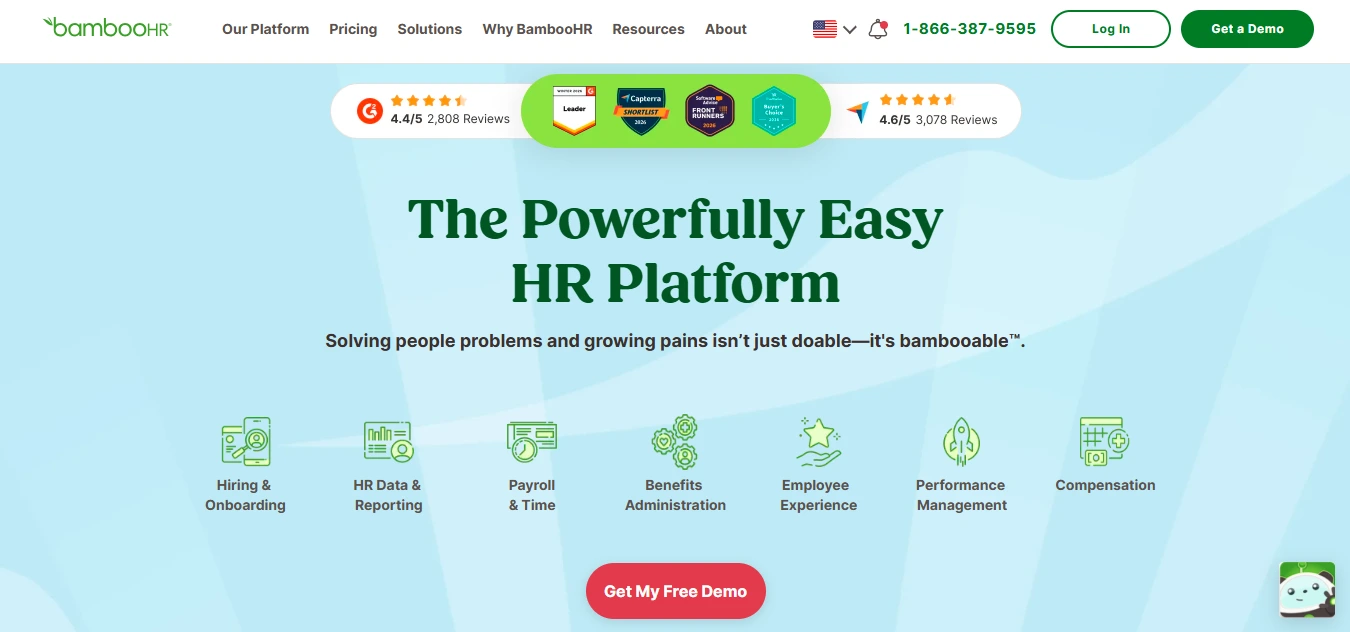
Key Features:
- Core HR and employee records
- Time-off tracking and onboarding
- Performance management
- Reporting and analytics
- Payroll and time tracking add-ons
Pros & Cons:
Pros | Cons |
Easiest to learn — many users need zero training | Feature ceiling around 500–750 employees |
Fastest implementation on this list (4–6 weeks) | Payroll runs via partners; you carry tax-filing liability |
Targets 50–500 employees with published-ish pricing | API throttled (~500 requests/day) can break dashboards at 300+ heads |
Complete data export in standard formats | Advanced workforce planning hits a wall; users fall back to spreadsheets |
Verdict: BambooHR is the friendliest on-ramp here the interface is so intuitive that adoption is rarely the problem. The honest limitation is scale: its early ease can become cost and analytics friction as you grow past a few hundred employees, and its API limits can bottleneck a reporting team.
8. UKG Pro
UKG Pro is an HRIS-grade platform built for organizations with complex payroll, multiple component companies, and demanding workforce-management needs.
Best for: Companies with intricate payroll, shift rules, or multi-entity structures.
Rating: 4.3/5 on G2
Entry price: not published
Free trial: no
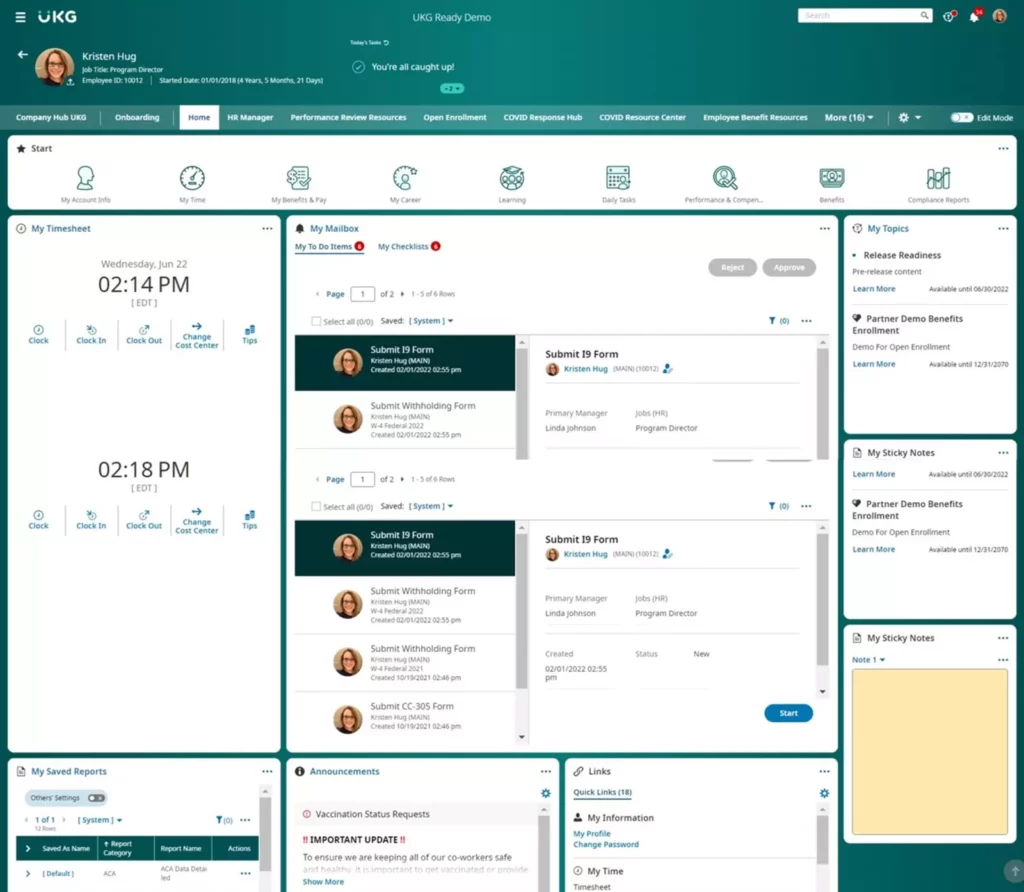
Key Features:
- Complex payroll and tax
- Workforce management and scheduling
- Talent and onboarding
- Multi-entity/component-company configuration
- People analytics
Pros & Cons:
Pros | Cons |
Deep customization praised by payroll managers | 2023 merger integration caused an ~8-month feature freeze |
Strong for multi-entity, complex-payroll organizations | Interface can feel non-intuitive, especially after updates |
Robust talent and workforce management | Advanced reporting has a learning curve |
Handles diverse, shift-based workforces well | Quote-based pricing; heavier than a simple team needs |
Verdict: UKG Pro rewards organizations with genuinely complex payroll — reviewers running multiple component companies with customized settings rate its flexibility highly. Weigh vendor-stability history: the UKG merger froze feature development for most of a year, which matters on a multi-year commitment. If your complexity is real, the depth is worth it; if it is not, this is more system than you need.
9. ADP Workforce Now
ADP Workforce Now brings decades of payroll and compliance infrastructure to the mid-market, with in-house tax filing across all 50 states.
Best for: Companies with 200-plus employees across multiple states that need lowest-risk compliance.
Rating: 4.2/5 on G2
Entry price: ~$45–55 PEPM all-in
Free trial: no
Key Features:
- Full-service payroll and tax in all 50 states
- Smart Compliance for regulatory operations
- ADP Data Cloud workforce analytics
- Benefits administration
- Employee self-service
Pros & Cons:
Pros | Cons |
Rated best overall for midsize by Forbes’ testing team | Interface feels dated to many users |
Deepest multi-state tax compliance; assumes filing liability | Implementation runs a long 14–18 weeks |
Specialized US compliance and analytics tooling | Support quality varies between SMB and enterprise divisions |
Lowest-risk infrastructure for regulated industries | Quote-based; premium all-in cost |
Verdict: ADP earned a 4.0-star score from Forbes’ hands-on testing and their pick as best overall for midsize. Its edge is compliance: one 180-employee manufacturer across 12 states saw ADP auto-update for new Colorado pay-transparency and California piece-rate rules within 48 hours, where their previous stack needed manual updates that left them non-compliant for weeks. Accept the dated interface and 14-to-18-week rollout, and you are buying the lowest-risk compliance backbone available.
10. TriNet
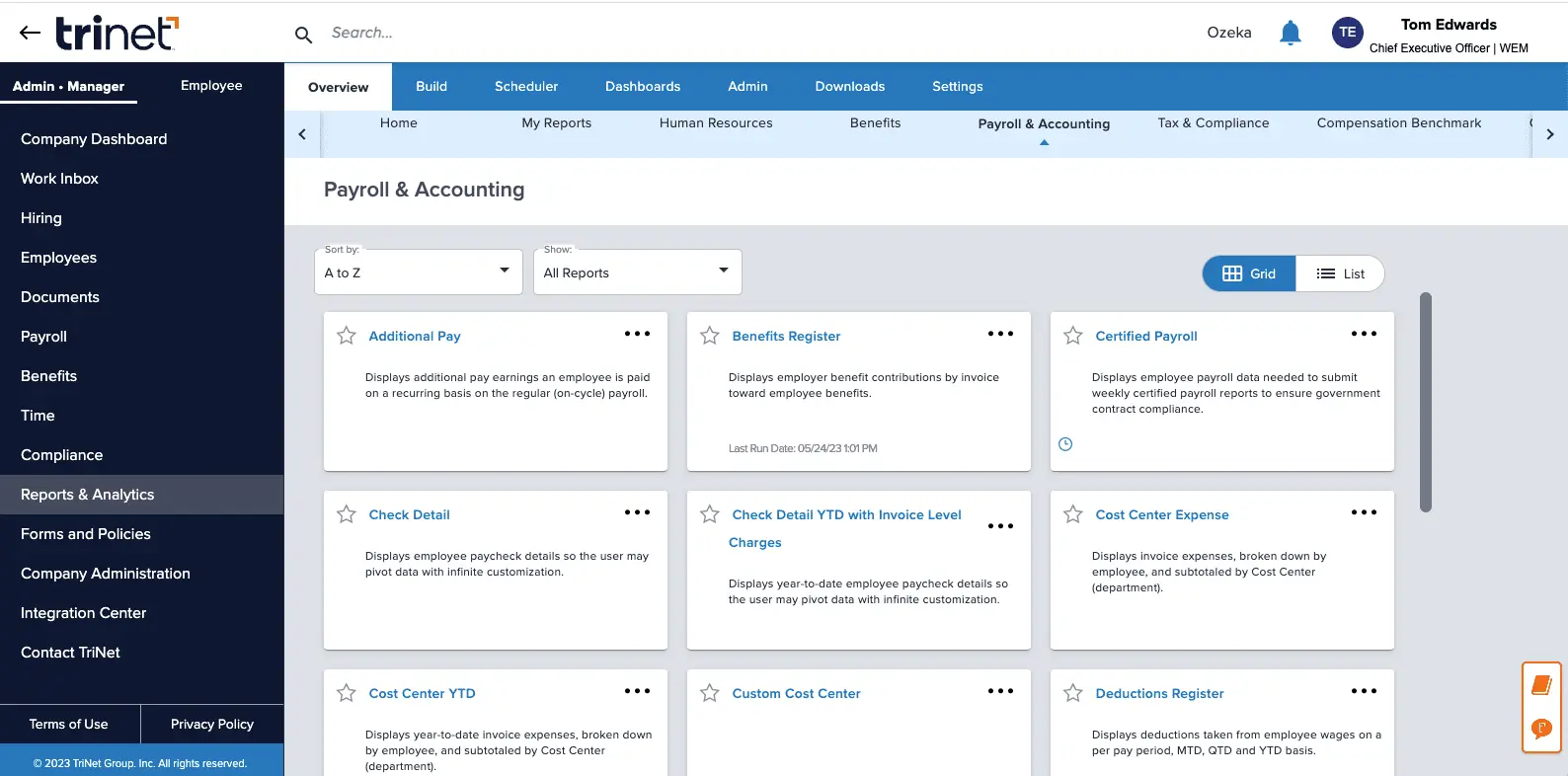
TriNet is a Professional Employer Organization: rather than just software, you co-employ your staff through TriNet, which delivers payroll, benefits, compliance, and HR guidance as a bundled service backed by real HR professionals.
Best for: Lean midsize teams that would rather buy HR outcomes and enterprise-grade benefits than run a platform themselves.
Rating: 4.2/5 on G2
Entry price: per-employee, quote-based
Free trial: no
Key Features:
- Bundled payroll, benefits, and compliance
- Access to HR professionals and guidance
- Risk and compliance management across states
- Employee benefits at pooled/enterprise pricing
- Employee self-service and onboarding
Pros and cons:
Pros | Cons |
HR, payroll, benefits, and compliance handled as one service | Co-employment model means less control and customization |
Enterprise-grade benefits pricing via pooling | Per-employee cost adds up as you grow |
Strong compliance support across changing state laws | Some reviewers note setup and configuration friction |
Near-zero implementation project | Less flexible than a configurable platform |
Verdict: TriNet has run in the PEO space for over 30 years and is the strongest bundled-service option here for midsize companies that want HR handled rather than built. You give up platform flexibility and pay per head, but you gain benefits pricing a 200-person company could never negotiate alone, plus expert compliance guidance. Compare it directly against a platform-plus-broker approach: for teams without HR bandwidth, the service model often wins; for teams that want control, it will feel constraining.
11. Dayforce
Dayforce runs HR, payroll, benefits, and workforce management on a single continuous-calculation engine, so payroll is always current rather than batch-processed at period end.
Best for: Mid-to-large organizations wanting one unified HCM with real-time payroll.
Rating: 4.2/5 on G2
Entry price: not published
Free trial: no
Key Features :
- Continuous payroll calculation
- Workforce management and scheduling
- Benefits and talent
- Compliance tooling
- Unified single-application architecture
Pros and cons:
Pros | Cons |
True single-engine HCM; payroll always current | Setup is more complex than lighter rivals |
Strong for scaling into the upper mid-market | Smaller G2 review base than the top names |
Good workforce-management depth | Quote-based pricing |
Unified data model across modules | Can be heavier than a straightforward team needs |
Verdict: Dayforce’s continuous-calculation model is its differentiator: payroll is computed in real time rather than reconciled at the end of a cycle, which reduces surprises. It fits companies growing into complex, upper-mid-market operations that want everything in one application. Expect a heavier setup than BambooHR-class tools and a quote, not a sticker price.
12. Workday HCM
Workday HCM is an enterprise-grade suite that unifies HR, talent, analytics, and (optionally) finance — built to keep serving a company well past 1,000 employees.
Best for: Fast-growing upper-mid-market companies that want a system they will not outgrow.
Rating: 4.1/5 on G2
Entry price: not published
Free trial: available
Key Features:
- Unified HCM with deep talent and succession
- Advanced workforce planning and analytics
- Optional unified finance suite
- Configurable global compliance
- Enterprise-grade security and controls
Pros and cons:
Pros | Cons |
Scales seamlessly into large-enterprise headcounts | Enterprise-oriented; heavy for most midsize teams |
Best-in-class planning and analytics | Long, resource-intensive implementation |
Unifies HR and finance on one platform | Reporting can feel non-intuitive to some users |
Positioned as the enterprise standard | Premium cost; overkill for a stable sub-300 team |
Verdict: Workday is the choice when your three-year plan takes you well past the mid-market and you would rather implement once than migrate again at 1,000 employees. Its planning and analytics depth is genuinely enterprise-class. For a stable 150-to-300-person company with no imminent scale story, though, it is more platform — and more implementation.
13. Paycor
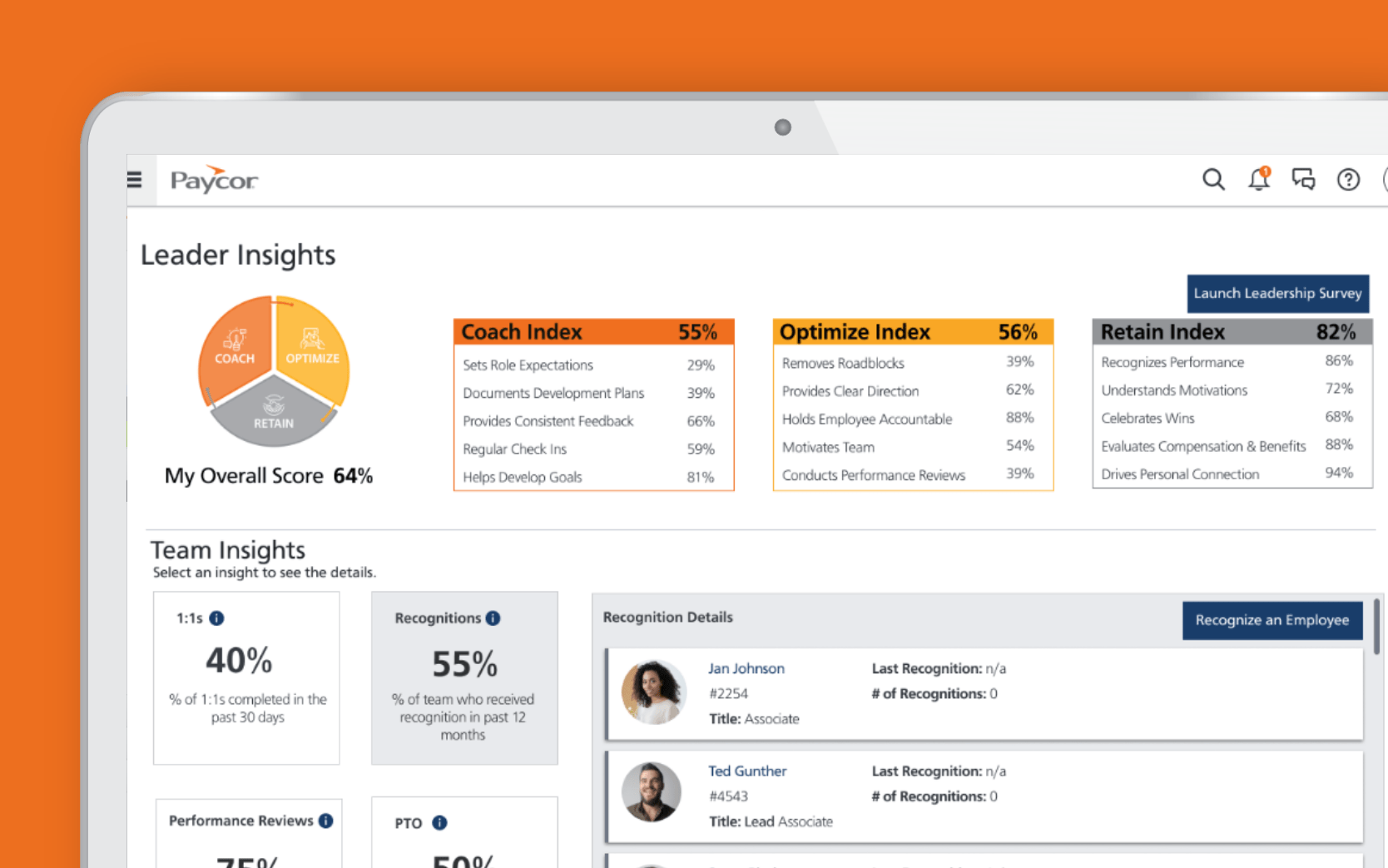
Paycor offers solid mid-market HR and payroll with notable post-processing payroll flexibility.
Best for: Mid-market companies wanting flexible payroll without enterprise complexity. Rating: 3.9/5 on G2
Entry price: not published
Free trial: yes
Key Features:
- Payroll with post-processing adjustments
- Core HR and onboarding
- Time and attendance
- Reporting
- Talent tools
Pros & Cons:
Pros | Cons |
Payroll flexibility (adjust after processing) | Lower G2 rating than the leaders here |
Solid all-round mid-market fit | Private-equity ownership drove a reported ~22% price increase in 2024 |
Reasonable onboarding | Historical data can sit behind custom extract fees on exit |
Full-service payroll | Scales less gracefully into larger organizations than UKG |
Verdict: Paycor covers mid-market HR and payroll capably, and its post-processing payroll flexibility genuinely helps organizations with irregular pay situations. Two things to price in: recent PE-driven increases, and exit friction — some historical payroll data is gated behind extract fees if you leave. It rates lower than the leaders here, so shortlist it against your specific payroll quirks rather than as a default.
14. Namely
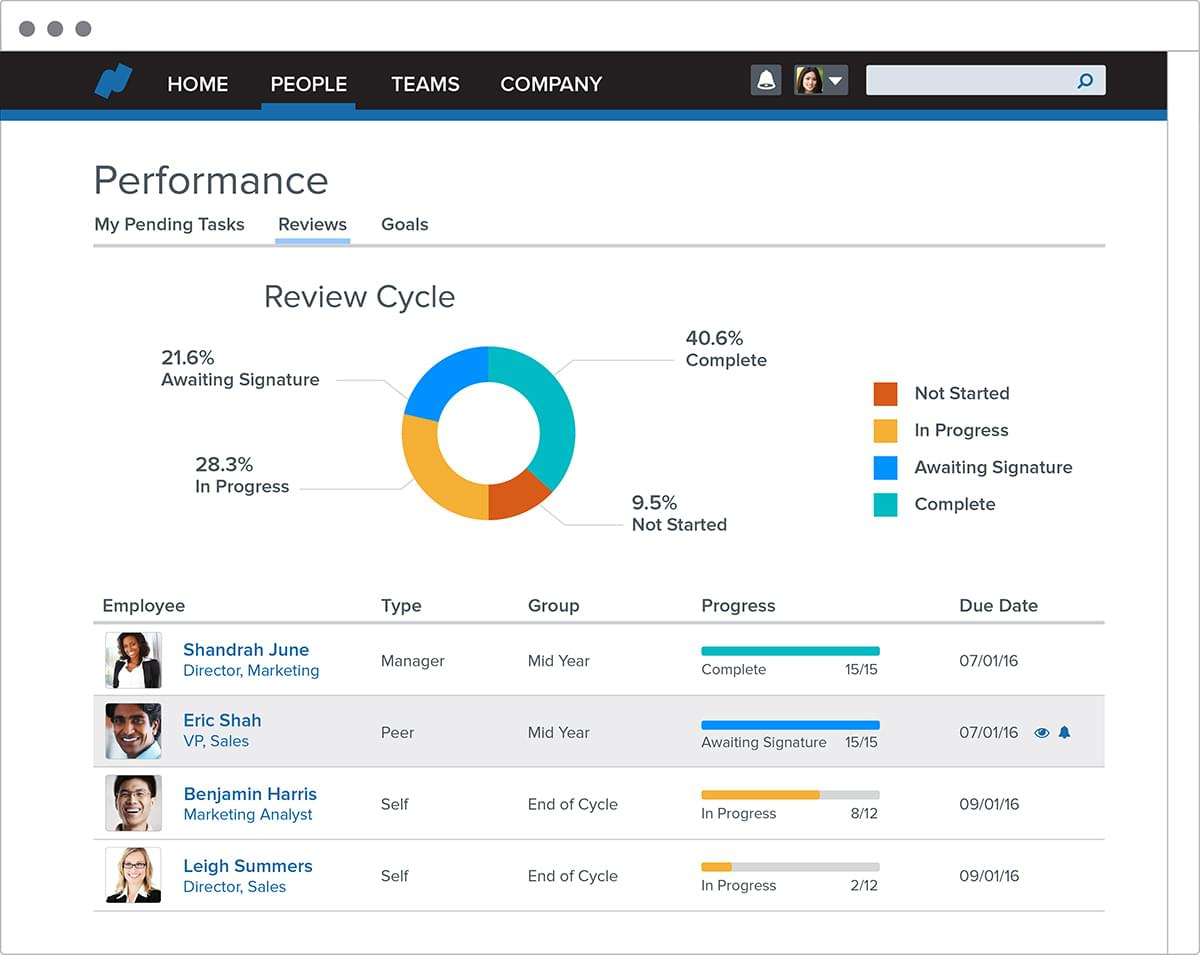
Namely is an HRIS built specifically for the mid-market, combining core HR, payroll, benefits, and a social, engagement-forward employee experience. It operates as a PEO provider as well as a full-service HR Software for Midsize Companies, offering payroll, compliance, benefits administration, and HR support in one platform.
Best for: Mid-market companies wanting an HRIS designed for their size band, with a people-first feel.
Rating: 3.9/5 on G2
Entry price: not published
Free trial: no
Key Features:
- Core HR and employee records
- Payroll and benefits administration
- Social/engagement-oriented employee experience
- Time and PTO tracking
- Reporting
Pros & Cons:
Pros | Cons |
Purpose-built for the mid-market band | Lowest rating and smallest review base on this list |
Engagement-forward, social employee experience | Lower marks for ease of setup and support vs. leaders |
Reasonable value and scalability per reviewers | Feature depth gaps in specific areas |
Consolidates HR, payroll, and benefits | Validate stability and roadmap carefully before committing |
Verdict: Namely is genuinely mid-market-focused and appears among the platforms that regularly surface for this segment, with a people-first, social feel that some teams love. The honest note is its ratings: at 3.9 across a smaller review base, it trails the leaders on satisfaction, particularly setup and support. Shortlist it if its mid-market design and employee experience fit your priorities, but thoroughly validate support and the roadmap during evaluation.
Which HRIS HR Function for your specific requirement
The list above ranks tools overall. Most buyers arrive with one requirement that decides the shortlist, so here are the same tools mapped to the needs midsize buyers ask about most.
Requirement | Tools that serve it |
Fastest, easiest implementation | BambooHR, Zimyo, Gusto, HiBob |
HR + IT + payroll on one record | Rippling, Paylocity, ADP Workforce Now |
Payroll-first / clean time-to-pay | Gusto, Zimyo, Paycom |
HR handled as a service (PEO) | TriNet |
Multi-state / 50-state tax filing in-house | ADP Workforce Now, Paylocity, Rippling |
Complex hourly / shift rules | UKG Pro, Dayforce, Paylocity |
International headcount | HiBob, Rippling |
Native reporting / analytics depth | Paylocity, Rippling, Workday HCM, ADP Workforce Now |
Scaling toward enterprise | Workday HCM, Dayforce, UKG Pro |
Mid-market people platform | HiBob, Namely |
Lowest published price | Zimyo |
True cost of ownership: beyond the PEPM sticker
One of the most under-discussed topics in HRIS manuals is cost. Base PEPM is just the starting point for your budget. Midsize organizations normally pay 40%-60% more than the advertised per employee cost once all the costs are accounted for, and your CFO would definitely turn down the proposal which does not take three-year TCO into account.
- Module add-on fees- Base PEPM covers standard HR functions normally. Payroll tax filing is an additional fee of about $4-8 PEPM, benefits management $3-6 PEPM, recruiting $5-12 PEPM. The “budget” solution becomes middle-of-the-road when you account for necessary add-ons.
Implementation fees– From $5,000 to $75,000 depending on the vendor and platform, implementation fees tend to be underestimated. It took one 250 person company $18,000 budget for migration from entry-level payroll software to an advanced HRIS, but they ended up paying $47,000 for additional work of IT integration (SSO, CRM synchronization), cleaning historical data, running parallel payroll for three months in order to verify correctness.
Increase in annual fees- Annual renewal fees increase by 3%-8% every year, and the PE-owned providers have been increasing their prices more aggressively. The three-year compound effect of price increases is substantial.
Migration and termination fees- Migration away from legacy platform and even new platform several years down the road will cost anywhere between $40,000 and $150,000 for a company of 300 employees. There are also fees associated with extraction of historical payroll data for the same companies, which might amount to $3,000-$8,000.
Extras behind the scenes- Higher-tiered premium customer support plans, enhancements to API capabilities (which ADP’s can cost an additional $8,000-$15,000 per year), extra hardware for kiosk or biometric solutions, as well as fees per report or per feature. Get it from each finalist in writing!
How much does a midsize HRIS cost, and what's the average per employee?
This pricing spectrum is perhaps wider than any other HR technology due to the broad nature of the “HRIS” definition, which includes anything from basic core-HR software through comprehensive HCM solutions.
Average monthly price per employee
For medium-sized companies, plan on an achievable all-in price range between $8 and $55 per employee per month, depending on which modules you need. Basic core HR systems are priced around $10-$15 PEPM (Zimyo is substantially cheaper, starting at $4/user/month; Gusto costs at least $49/month plus $6/per person). Mid-market HRIS systems can cost around $14-$28 PEPM for BambooHR and $18-$25 PEPM for HiBob when considered individually. Comprehensive HCM systems with built-in payroll, WFM and all the extra features (Paylocity and ADP Workforce Now) are priced around $38-$55 PEPM after the installation of all necessary modules, while PEOs (TriNet, etc.) include all the software within their packages for roughly $120-$180 PEPM. A useful planning midpoint for a 100-to-500-person company running payroll plus core HR is roughly $20–30 PEPM all-in, but confirm with quotes because rates change frequently and depend heavily on module mix.
Per-employee vs. flat-rate
Two models dominate. Per-Employee-Per-Month (PEPM) stays stable per head but grows as you hire — the norm at this size. Flat-rate or tiered pricing tends to favor larger groups and penalize small ones. Most midsize platforms are PEPM, often with a monthly base fee on top.
Check out this blog to learnt the difference between HRIS, HCM and HRMS.
Key features to look for in a midsize HRIS
Before you shortlist, separate the features that reduce risk and cost from the marketing add-ons.
Benefits of HRIS Systems
- Full service payroll including tax liability assumption- This is important more than anything else. These full service payroll systems like ADP, Paylocity, Rippling, Paycom, and Gusto do filing of tax liabilities in-house for all 50 states. Other platforms rely on third parties for processing payroll taxes, and hence you become liable for tax liabilities if filing is wrong in any state, and their tax data can be a cycle or two behind.
Real integration, not a marketplace logo- Integration quality varies wildly even when two vendors list the same app. Confirm whether a connection is real-time and bidirectional or a one-way overnight batch — the difference between clean data and daily conflicts. Integration capability is one of the top buyer criteria at this size, so map your existing accounting, ATS, and benefits tools against each candidate management before you commit.
Reporting and analytics you can run yourself- “Robust reporting” is on every vendor page; the real question is whether your finance team can build a headcount, turnover, or compensation dashboard without exporting to Excel. Consolidating people data into usable dashboards is the core payoff of an HRIS, and depth varies enormously — check API rate limits too, since a throttled API can silently break dashboards for larger teams.
Employee Experience and Mobile- The ROI depends on the adoption rate, which resides on the mobile phone. An elegant administration console means nothing if your hourly workers have to press five buttons to punch in. Test the mobile punch and self-service experience during the demo, not just the management interface.
Implementation ease and Support Model- No matter how powerful the system is, if nobody uses it, then there will be no ROI. Make sure to create realistic timelines for going live with your platform, and figure out if you will receive an account manager or a helpdesk number after the sale closes.
• More automation, less human error
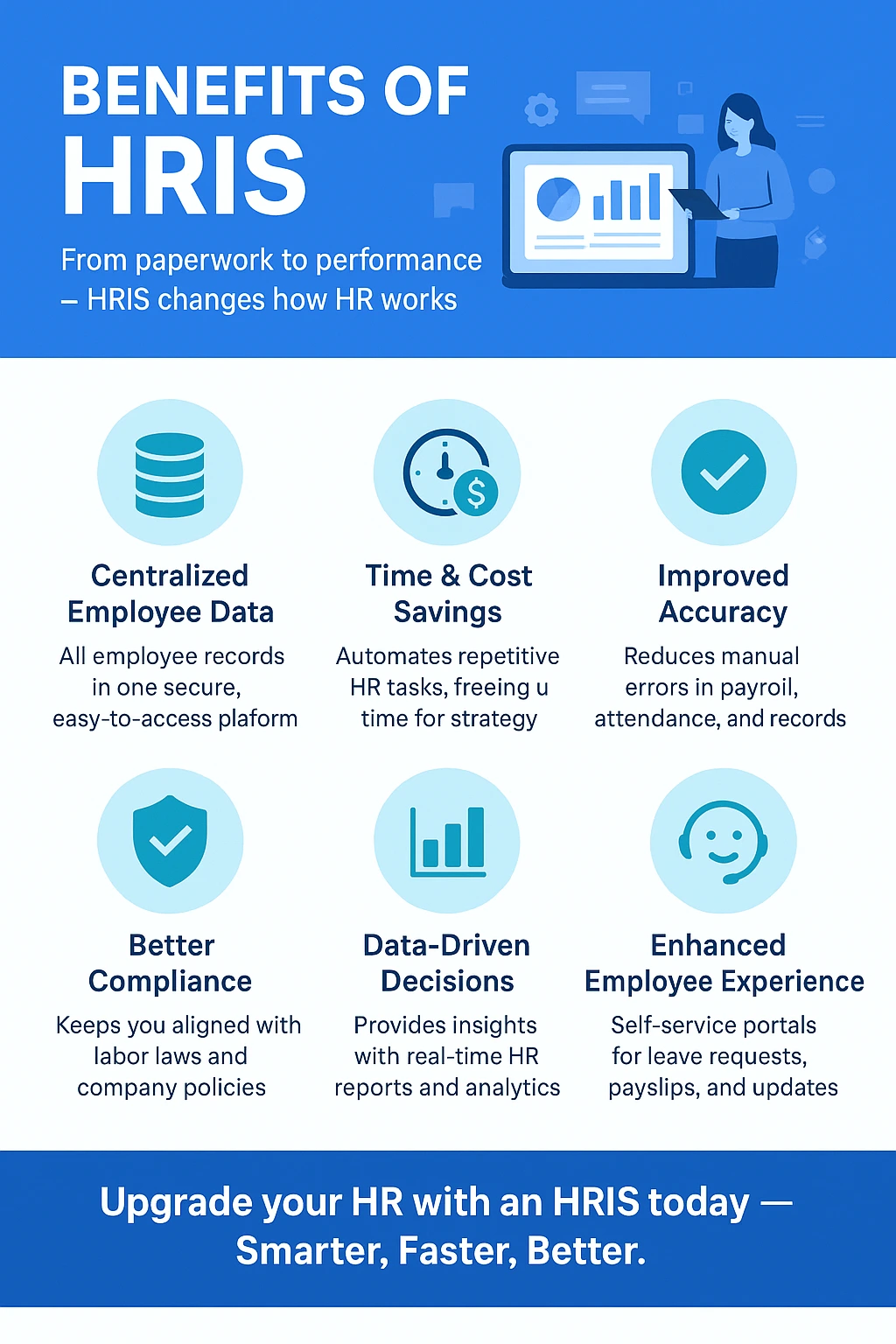
With the automation of timesheet gathering, approval, and payroll processing, what takes hours of time from coordinators to accomplish is done in minutes and gets rid of manual processes which lead to the over- and under-payments. Human Resources software minimizes manual administrative labor and organizes people information.
• Greater compliance and documentation
Overtime calculation and break times are automated, along with tamperproof records and tax update via cloud technology, so the risk of wage lawsuits, penalties, or audit violations – especially in multi-state business – is minimized.
• Better workforce analytics
HRIS systems gather information into dashboards that will allow leaders to see trends and make smart staffing decisions based on the information about absences, turnover rate in particular departments, and other data making HR move from being a records keeper to a planning department.
• One source of information
The best HRIS systems collect all core HR information in one place creating a source of truth for all employee information, and this is exactly what a company needs when it outgrows small business solutions.
How to choose the right HRIS for your midsize company?
Work through these in order.
1. First off determine the type-HRIS, HCM, or PEO
To make sure that you won’t waste several weeks analyzing a completely wrong type of system.
2. Evaluate size, industry, and whether it is multi-state
A one-state company of 150 employees providing professional services will have to use a totally different platform than a 400-employee multi-state manufacturing company. Let complexity determine your choice, not popularity. With dozens of vendors on the market, narrowing fast is the whole game.
3. Identify 'must-have' versus 'nice to have'
Make sure your must-haves are associated with risk and cost like full-service multi-state payroll, your particular integrations, and self-service and put everything else into the tie-breaker category.
4. Test integrations and reporting
Come with specific scenarios: “Demonstrate to me an employee updating their address and how long will it take to reflect on payroll tax filing” or “Report on turnover by department and manager from last quarter.” This will uncover areas of weakness that a polished demo won’t.
5. Implementation and support
Require a realistic implementation timeline, migration support, and an actual support plan. Some of these vendors get poor marks for support.
Final Tip: Always request a free demo from at least 3–4 vendors and involve both HR and IT teams in the evaluation process. This ensures you choose a Top HRIS system for midsize companies that balances functionality, scalability, and cost-effectiveness.
Case study: a 250-person SaaS company gets its HRIS budget right
An illustrative midsize scenario, drawn from the patterns in this research.
A 250-employee SaaS company had outgrown its starter payroll app. HR was exporting timesheets by hand, equity records lived in a separate spreadsheet, and multi-state hiring had started to strain compliance. Leadership approved a move to a modern, IT-integrated HRIS and budgeted $18,000 for implementation.
The rollout surfaced everything the base quote had hidden. IT integration work — single sign-on and CRM sync — added cost. Historical data cleanup, especially the equity records, took far longer than expected. And to verify payroll accuracy, the team ran the old and new systems in parallel for three months, paying two subscriptions at once. Final implementation cost: $47,000, more than 2.5x the budget.
Conclusion
The HRIS selection for a mid-sized business is a three-year proposition that will determine the course of HR management until the end of the decade, hence, category and cost consideration become as crucial as the features checklist. Firstly, be sure that an HRIS is what you really need as opposed to an HCM or PEO solution. Then it will depend on what limitations you have – a quick and easy deployment, a single record for HR, IT and payroll; solid multi-state compliance, advanced payroll and shift management, HR delivered as a service, scalability up to enterprise level or the most affordable price for an HRMS available.
Frequently Asked Questions (FAQs)
Which is the most suitable HRIS system for mid-size organizations?
Modern cloud-based HRIS is always the best choice for most organizations with 100-500 employees. The reason is simple – it provides automatic updates in compliance, rapid implementation, PEPM pricing, and mobility without any servers or IT staff needed. Besides the method of implementation, what makes it the “best type” depends on organizational complexity. Organizations which are organizationally complex but not operationally require a core HRIS (BambooHR, HiBob, Namely, Zimyo). Companies which are shift-heavy or operating in multiple states require an HCM-oriented platform (UKG Pro, Dayforce, Workday, ADP Workforce Now, Paylocity).
What are the benefits and drawbacks of cloud HRIS vs on-premise solutions for mid-size organizations?
Pros of cloud (SaaS) HRIS are the absence of any servers or IT maintenance, automatic updates in security and compliance/tax law, subscription cost that is consistent, implementation time frame that does not exceed weeks, remote and mobile access, and constant innovation. Drawbacks are recurring cost without the end, dependency on the vendor uptime and roadmap.
Which of the top HRIS systems are best suited for midsize companies?
However, all of them cater to the midsize market, yet have their own USPs. BambooHR, Zimyo, and Gusto concentrate on usability and speed; HiBob concentrates on engagement and global teams; Rippling specializes in HR, IT, and payroll integration; Paylocity caters to workforce management; and ADP Workforce Now caters to multi-state compliance. The UKG Pro and Dayforce software cater to complex payroll and shifts, while Paycom caters to self-service, TriNet to HR services, Workday HCM to enterprise scalability, Paycor to flexible payroll, and Namely to mid-market HR.
What features should midsize companies look for in top HRIS systems?
Pay attention to the functionalities listed below that have direct impact on risks and costs:
(1) full-service payroll with tax-liability pass-through that implies that the provider processes payroll in house and bears responsibility for any mistakes in 50 states and not a third-party payroll solution;
(2) integration of your existing accounting, ATS and benefits systems – make sure it is real-time and not overnight batch integration;
(3) reporting and analytics capabilities that could help you build dashboards on headcount, turnover and compensation without exporting data into Excel and look into API rates;
(4) strong mobile and self-service for employees since adoption will drive the return on investment;
(5) realistic timelines and customer support model – account manager vs ticket queue. Engagement and talent acquisition capabilities are nice tie-breakers but not the main selection criterias.
How much do top HRIS systems cost for midsize companies?
Estimate $8-$55 PEPM, depending on your modules, but PEOs such as TriNet charge up to $120-$180 PEPM.
Anticipate 40-60% more once you factor in payroll, benefits, implementation, and any other extras. It is always best to ask your choice.
What is the average cost per employee for a midsize HRIS?
The realistic midpoint of planning for a 100 to 500 employee organization handling both core HR and payroll would be $20-30 per employee per month (all-in), even though the true pricing range goes from about $8 per employee per month (PEPM) for an economical single module offering up to about $55 PEPM for a comprehensive HCM solution (and much more than that for a comprehensive PEO service offering). Pricing in most midsize systems is done PEPM (with a flat monthly fee on top), which means that your PEPM cost will stay fixed while your total bill increases as you grow.