Suppose you run a company with 100 employees. Every day, you’re buried under piles of spreadsheets, attendance sheets, and salary slips. You’re answering the same HR questions again and again… “How many leaves do I have left?”, “When will my salary get credited?”, “Can you send me my pay slip?” Soon, your whole day goes into managing people instead of growing your business.
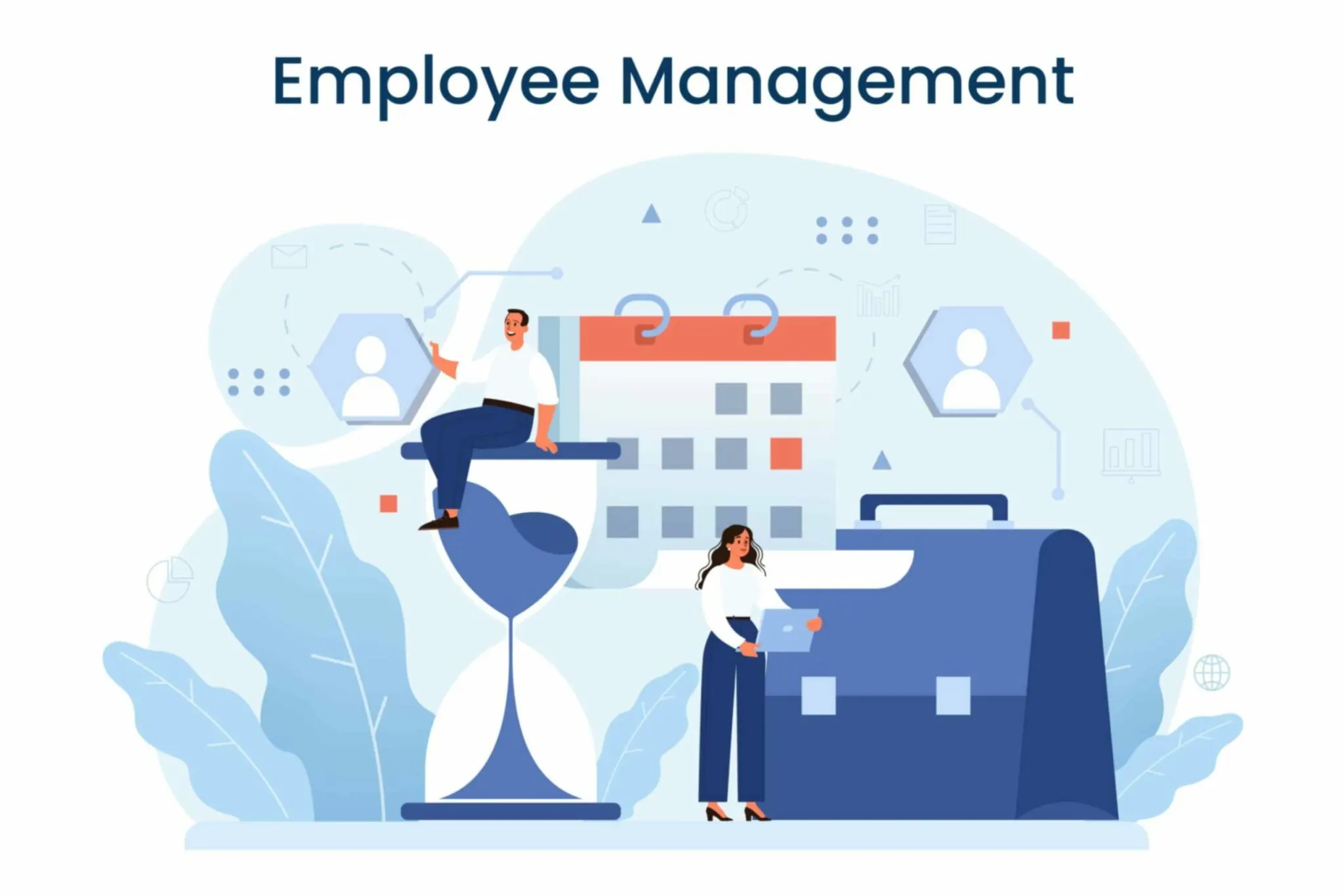
That’s exactly where an Employee Management System (EMS) becomes a lifesaver. It’s like having a digital HR assistant that takes care of everything, from hiring and attendance to payroll and performance tracking. No more manual work, no more confusion. Everything runs smoothly, in one place.
In 2026, companies are moving toward smart HR solutions that save time, cut costs, and keep employees happy. The right EMS not only makes daily tasks easier but also helps you make better decisions about your people.
To make things simpler for you, we’ve listed the Top 10 Employee Management Systems of 2026 that can help you handle your team effortlessly, improve productivity, and build a happier workplace.
Let’s look at which ones are leading the way this year.
List of the Best Employee Management Systems in 2026
Following is the List of the Best Employee Management Systems in 2026:
- Zimyo
- Connect team
- eXo Platform
- Monday
- Zoho People
- Bamboo HR
- Darwin Box
- Lattice
- Clickup
- Rippling
- Gusto
Now, let us throw light on each one of these in detail.
Best Employee Management Systems in 2026 (Explained in Detail)
1. Zimyo
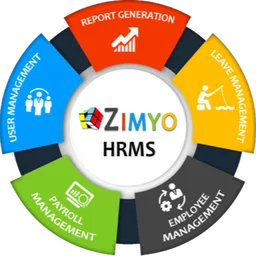
Zimyo is a leading Employee Management System that streamlines the entire employee lifecycle from hire to retire. With more than 40 modules, Zimyo offers comprehensive solutions for businesses of all sizes. What sets Zimyo apart is its customizable modules, allowing organizations to customize the system according to their unique needs.
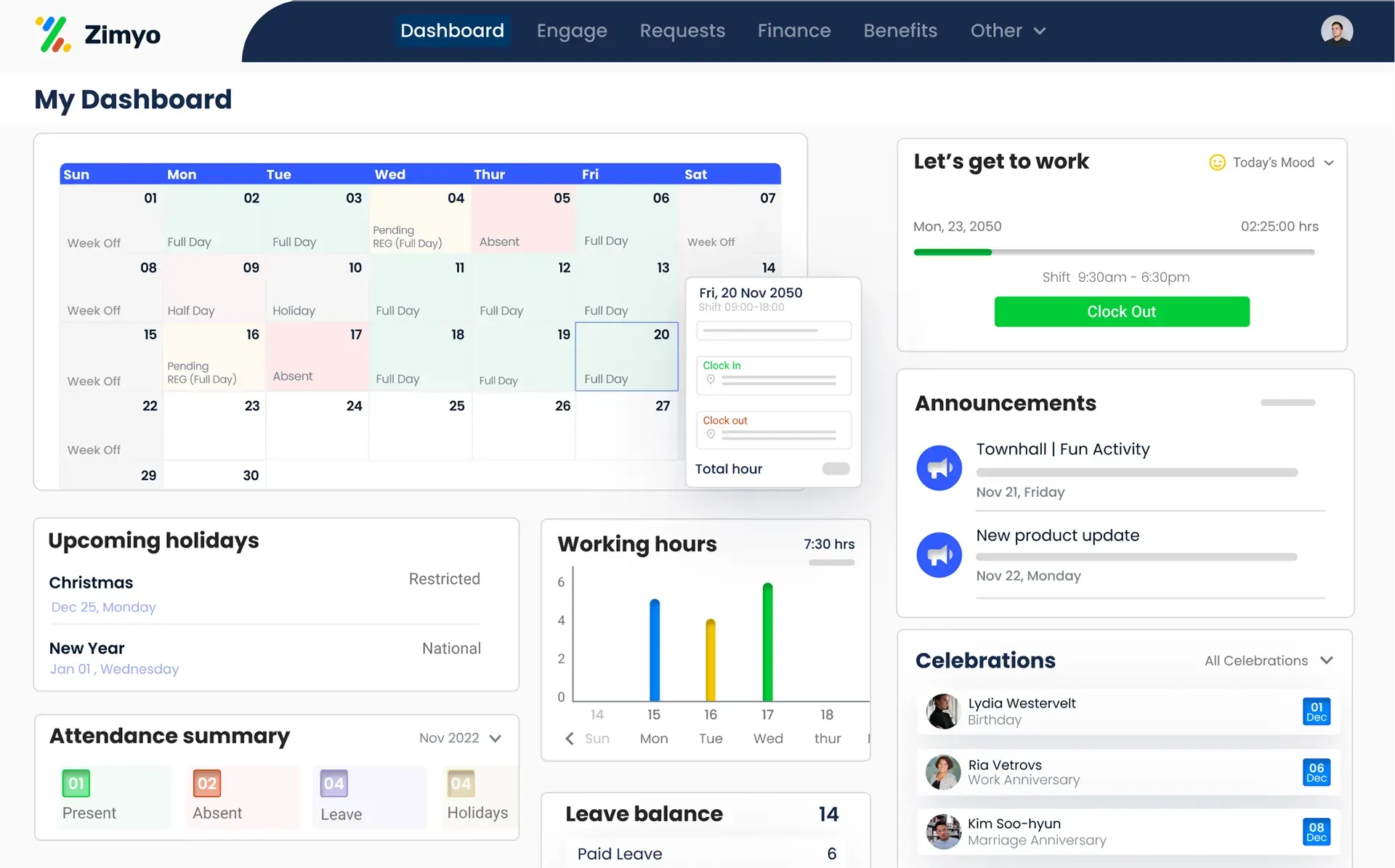
Key Features
- Core HR
- Organizational charts
- Assets Management
- OKRs, KRAs, & KPIs
- Dashboards & Reports
- Employee Engagement
- Customized workflow
- Leave and attendance management
- Performance Management
- Tax Management
- Payroll Management
- Statutory compliance (GCC)
- Travel and Expense Management
- Recruitment Management
- Helpdesk
Pros and Cons
| Pros | Cons |
| All-in-one HR solution covering hire to retire | May take time to explore all 40+ modules |
| Highly customizable to match business needs | Advanced features may need training |
| Strong reporting and analytics tools | Mobile app can be improved further |
| Excellent customer support | Some integrations may need setup support |
| Award-winning platform with proven ROI | Premium plans cost more for small firms |
2. Connect team
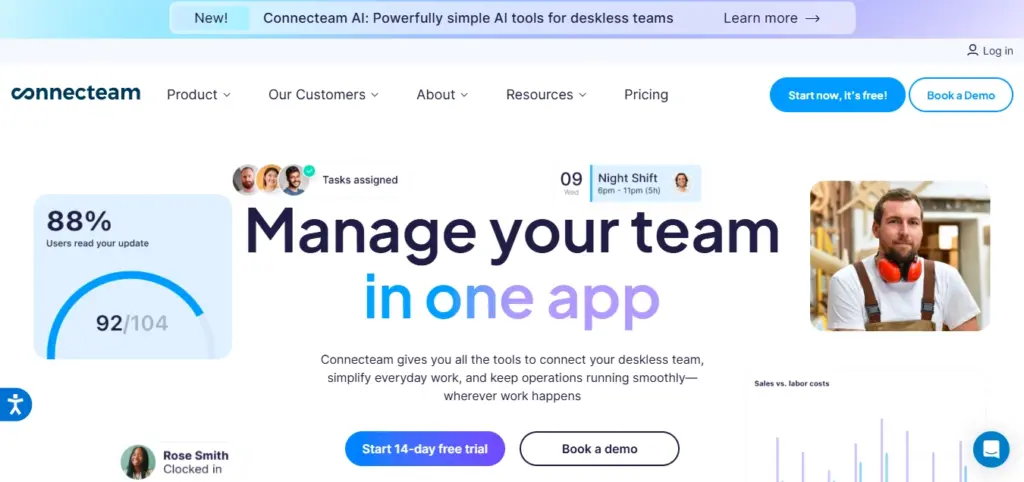
Connect Team offers a comprehensive solution that seamlessly integrates remote workforce management into its core functionalities. It’s designed to meet the demands of organizations with employees scattered across different locations, making it perfect for remote teams.
The platform is modular, allowing users to pay only for the features they need, making it a cost-effective solution for organizations looking to communicate, operate, and manage their remote teams efficiently.
Key Features
- Document Management
- Employee Directory
- Survey & Polls
- Task Management
- Digital Forms & Checklists
- HR workflow management
Pros and Cons
| Pros | Cons |
| Great for managing remote teams | Interface can feel busy for new users |
| Pay only for features you use | Limited payroll and compliance tools |
| Easy communication with field employees | Reporting tools are basic |
| Mobile-friendly and easy to access | Some automation options are limited |
| Good for task and checklist management | May not suit very large enterprises |
3. eXo Platform
eXo Platform is an open-source digital workplace designed to improve employee engagement, internal communication, and collaboration. It brings employees together through a centralized environment where they can share knowledge, communicate with colleagues, access company resources, and collaborate across teams.
Unlike traditional employee management systems focused primarily on HR administration, eXo Platform emphasizes the employee experience. Organizations can use it to build an engaging digital workplace, strengthen internal communication, facilitate knowledge sharing, and help employees stay connected with company goals and culture.
Key Features
- Employee engagement: Encourage participation, recognition, and interaction across the organization.
- Internal communication: Share company news, announcements, and updates through a centralized digital workplace.
- Knowledge management: Organize company knowledge, documents, and resources so employees can find the information they need.
- Team collaboration: Support teamwork through collaborative spaces, discussions, and shared resources.
- Employee onboarding: Help new hires discover company information, connect with colleagues, and access onboarding resources.
- AI-powered capabilities: Support employees in finding information and accessing knowledge through AI-assisted experiences.
- Flexible deployment: Support organizations seeking an open-source digital workplace with deployment options suited to their infrastructure and security requirements.
Pros and Cons
| Pros | Cons |
| Open-source platform with customization possibilities | Not a replacement for a dedicated payroll or core HR management system |
| Combines internal communication, collaboration, and knowledge sharing | Initial configuration may require technical resources |
| Helps improve employee engagement and knowledge accessibility | Organizations may need integrations with their existing HR tools |
| Flexible deployment options for different IT environments | Implementation scope depends on organizational requirements |
4. Monday
Monday.com is another Employee Management System that helps organizations scale with an intuitive platform for project management, time tracking, and report generation. It’s ideal for keeping your team aligned on single goals. Monday.com provides detailed insights into employees’ day-to-day tasks, enabling managers to adjust workloads accordingly and keep projects on track.

Key Features
- Work requests
- Employee onboarding
- Time management
- Built-in forms
- Progress tracking
- Real-time insights
- Project visualization
- Deadline warnings
Pros and Cons
| Pros | Cons |
| Clean and visual dashboard for project tracking | Limited HR-specific features |
| Great for team collaboration | Can be costly as users increase |
| Offers real-time updates and progress tracking | Lacks in-depth payroll or compliance tools |
| Customizable workflows | Can feel more like a project tool than HR software |
| Easy time and task management | Some advanced features require integrations |
5. Zoho People
Zoho People is a flagship product of the Zoho suite and provides a comprehensive solution for employee management. It’s designed to simplify complex HR processes and is accessible from mobile phones, making it a flexible choice for businesses. Zoho People’s user-friendly interface and high-tech features make it an ideal choice for businesses seeking efficiency in their workforce management.
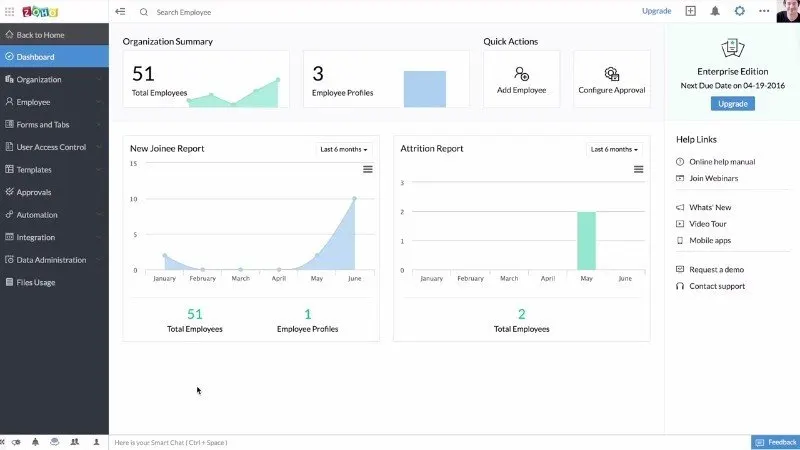
Key Features
- Employee Dashboard
- Task management
- Employee database
- Mobile app chat
- HR Workflows
- Time and attendance tracking
- Customizable reports
- Goal setting
Pros and Cons
| Pros | Cons |
| User-friendly and mobile-accessible | Interface can feel outdated at times |
| Easy integration with other Zoho apps | Advanced analytics limited in lower plans |
| Customizable HR workflows | Customer support can be slow during peak hours |
| Affordable for small businesses | May lag with large employee databases |
| Comprehensive employee management tools | Some features require add-ons |
6. Bamboo HR
Bamboo HR excels in providing a user-friendly and streamlined HR solution. It’s recognized for its simplicity and effectiveness, making it perfect for small and medium businesses. Bamboo HR allows organizations to manage all aspects of the employee lifecycle effortlessly, from tracking hours worked to generating detailed reports.
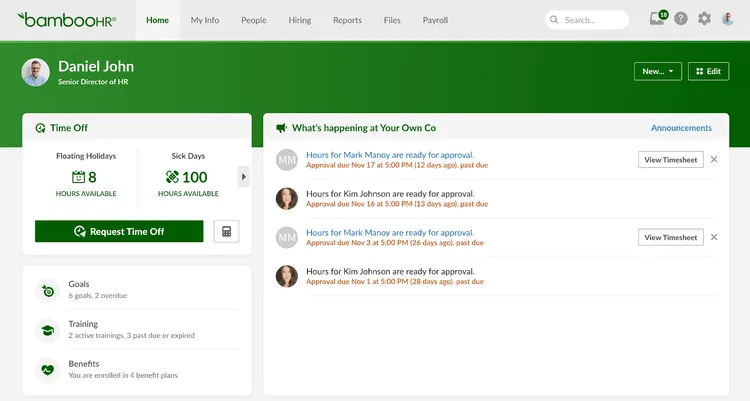
Key Features
- Centralized employee data
- Document management
- Onboarding & offboarding management
- eNPS surveys
- Workflows & approvals
- Employee time tracking
- Goal tracking
- Reports & analytics
Pros and Cons
| Pros | Cons |
| Simple, clean, and easy to use | Lacks built-in payroll in some regions |
| Perfect for small and mid-size businesses | Not ideal for large corporations |
| Great onboarding and offboarding features | Limited customization options |
| Strong reporting and analytics tools | Integration setup can take time |
| High user satisfaction and great UX | Expensive for small startups |
7. Darwin Box
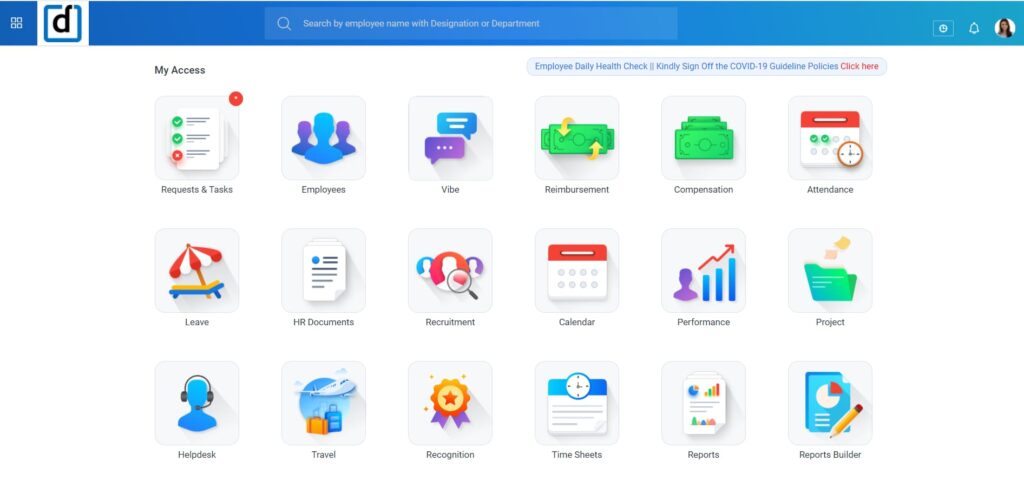
Darwinbox is a dynamic player in the Employee Management System arena, offering a unified HR platform that goes beyond traditional boundaries. It’s designed to elevate the employee experience with advanced tools like AI and machine learning. Darwinbox’s AI and ML features, like HR voice bot and talent analytics, make it an efficient and modern choice for workforce management.
Key Features
- Workforce Planning
- Employee Master Data
- Leave and Attendance Tracking
- Organizational Charts
- Role-based Access
- Workflow Automation
- Voice bot and Chat bot
- Digital Signature
Pros and Cons
| Pros | Cons |
| Modern platform powered by AI and ML | Learning curve for first-time users |
| End-to-end HR management | Pricing not transparent online |
| Advanced analytics and automation | Some reports can be complex to generate |
| Voice and chatbot assistants available | May feel enterprise-focused for small teams |
| Scalable for large organizations | Mobile app could be smoother |
8. Lattice
Lattice is renowned for its focus on continuous feedback, development, and growth of the workforce. It’s ideal for organizations seeking to promote a culture of continuous improvement. Lattice helps organizations build high-performing teams by providing the right tools to set, track, and achieve goals.

Key Features
- Reporting & Dashboards
- Employee Feedback
- Surveys & Polls
- Peer Recognition
- Employee Onboarding and Offboarding
- Real-time Progress Tracking
- Document Management
- Workflow Automation
Pros and Cons
| Pros | Cons |
| Great for feedback and employee growth | Not a full HR suite (focuses on performance) |
| Encourages communication and transparency | Payroll and attendance not included |
| Ideal for continuous performance tracking | Can be pricey for small teams |
| User-friendly and intuitive design | Limited customization options |
| Improves engagement and goal alignment | Learning curve for managers at first |
9. Clickup
ClickUp is an all-encompassing platform for project management, collaboration, and task tracking. It’s a versatile solution for organizations seeking a unified approach to project and people management. ClickUp is perfect for small businesses looking to enhance team collaboration and align the whole project management.

Key Features
- Project Management
- Activity Tracking
- Real Time Notification
- Document Management
- Leave and Attendance Tracking
- Goal Management
- Tasks Creation & Assignment
- Workflow Management
Pros and Cons
| Pros | Cons |
| Combines project and people management | More suited for project tracking than HR |
| Customizable workflows | Payroll or compliance tools missing |
| Real-time notifications and updates | Can feel overwhelming with too many features |
| Easy task creation and tracking | May require setup for HR use cases |
| Affordable pricing tiers | Some integrations need manual configuration |
10. Rippling
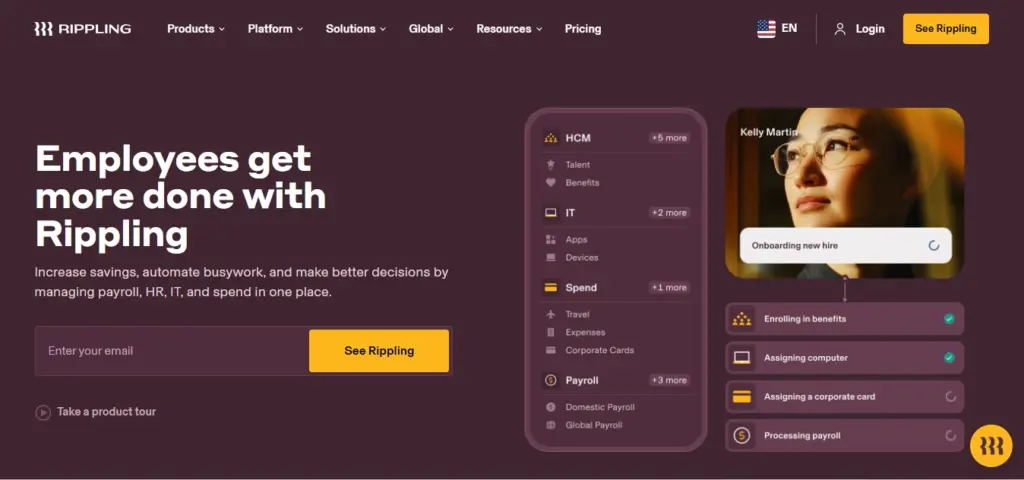
Rippling stands out as an efficient platform that unifies the entire employee lifecycle, from onboarding to payroll and beyond. It simplifies complex HR tasks with a user-friendly interface. Rippling’s unified approach ensures easier management of all aspects of workforce administration.
Key Features
- Onboarding & Offboarding
- Payroll Automation
- Benefits Management
- Employee Pulse Survey
- Headcount Planning
- Compensation Bands
- Learning Management
- Time & Attendance Tracking
Pros and Cons
| Pros | Cons |
| Handles HR, payroll, and IT together | Slightly higher pricing |
| Strong automation and integrations | Can take time to configure completely |
| Easy onboarding and offboarding | Reporting tools can feel advanced for new users |
| Centralized employee data | Mobile app lacks a few web features |
| Simple and modern interface | Some features only in higher plans |
11. Gusto
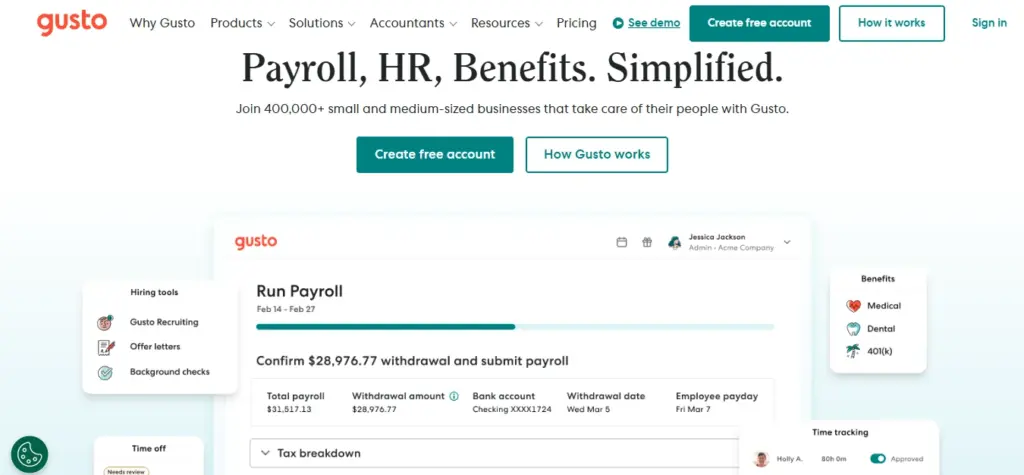
Gusto is an Employee Management System that simplifies processes, making them accessible to businesses of all sizes. Its focus on ease of use and automation makes it a top choice for HR tasks. Gusto’s payroll software is one of the best in the industry, making payroll and benefits administration seamless.
Key Features
- Task Management
- Time Tracking
- Payroll and Benefits Administration
- Employee Database Management
- Talent Management
- Onboarding Checklists
- Document Storage
- Employee Engagement Tools
Pros and Cons
| Pros | Cons |
| Best for payroll and benefits management | Limited performance and engagement tools |
| Simple, beginner-friendly interface | May not suit very large companies |
| Affordable for small businesses | Customization options are limited |
| Quick onboarding setup | Limited global compliance support |
| Great employee self-service options | Reporting could be more detailed |
Why Should You Invest in an Employee Management System?
Running a business is not just about selling products or meeting targets, it’s also about managing people. But when employee data, attendance, payroll, and performance tracking are all handled manually, things can get messy fast. That’s why smart companies today rely on an Employee Management System (EMS).
An EMS helps you bring all HR activities into one single platform. It saves time, reduces confusion, and makes your entire team work more efficiently. Let’s look at how investing in an Employee Management System can truly change the way your organization runs.
1. Organized HR Operations
With an EMS, all your HR work.. from hiring to exit.. happens in one system. You don’t need to juggle between Excel sheets, emails, and papers anymore. Everything is digital, quick, and organized.
Example:
Instead of manually checking who joined, who’s on leave, and who’s due for salary, HR managers can see all this information instantly on their dashboard. This saves hours of manual work every week.
2. Higher Productivity
When HR teams don’t have to repeat the same tasks daily, they can focus on what truly matters… people and performance. Employees also save time when they can mark attendance, apply for leave, or download pay slips themselves.
Example:
If your HR spends 4 hours every week updating attendance records, automation can cut that time down to just a few minutes… giving them more time for employee engagement or training.
3. Accurate Payroll Processing
Payroll mistakes can create frustration and distrust among employees. An EMS ensures that every employee’s salary, tax, bonus, and deduction are calculated correctly and paid on time… automatically.
Example:
No more last-minute confusion on salary day. Once attendance and leaves are synced, the system calculates exact pay within seconds, reducing errors and stress for everyone.
4. Improved Employee Engagement
When employees feel valued and heard, they work better. EMS tools often include feedback forms, surveys, and recognition systems that help managers understand how employees feel and what they need.
Example:
A company used monthly pulse surveys through their EMS to check employee happiness. After seeing that workload was a common concern, they restructured shifts and engagement scores improved by 30%.
5. Strategic Decision-Making
An EMS gives HR leaders real-time data on performance, productivity, and attrition. These insights help in planning promotions, training programs, or even hiring decisions.
Example:
If data shows that many employees leave within six months, HR can dig deeper to find the cause — maybe onboarding needs improvement or salaries need adjustment.
6. Time & Cost Savings
Manual HR tasks take time, and time is money. By automating them, you save both. It also reduces the need for paper, extra staff, and manual corrections — all of which cost money over time.
Example:
A mid-sized company that switched to an EMS reported saving 25% of HR time and reducing administrative costs by nearly 15% in just six months.
Key Steps to Choosing the Right Employee Management System (EMS)
Choosing the right Employee Management System can feel overwhelming. There are many options, each with different features, prices, and capabilities. The right EMS, however, can save you time, reduce errors, and make your team more productive. Here’s a simple guide to help you pick the best system for your business.
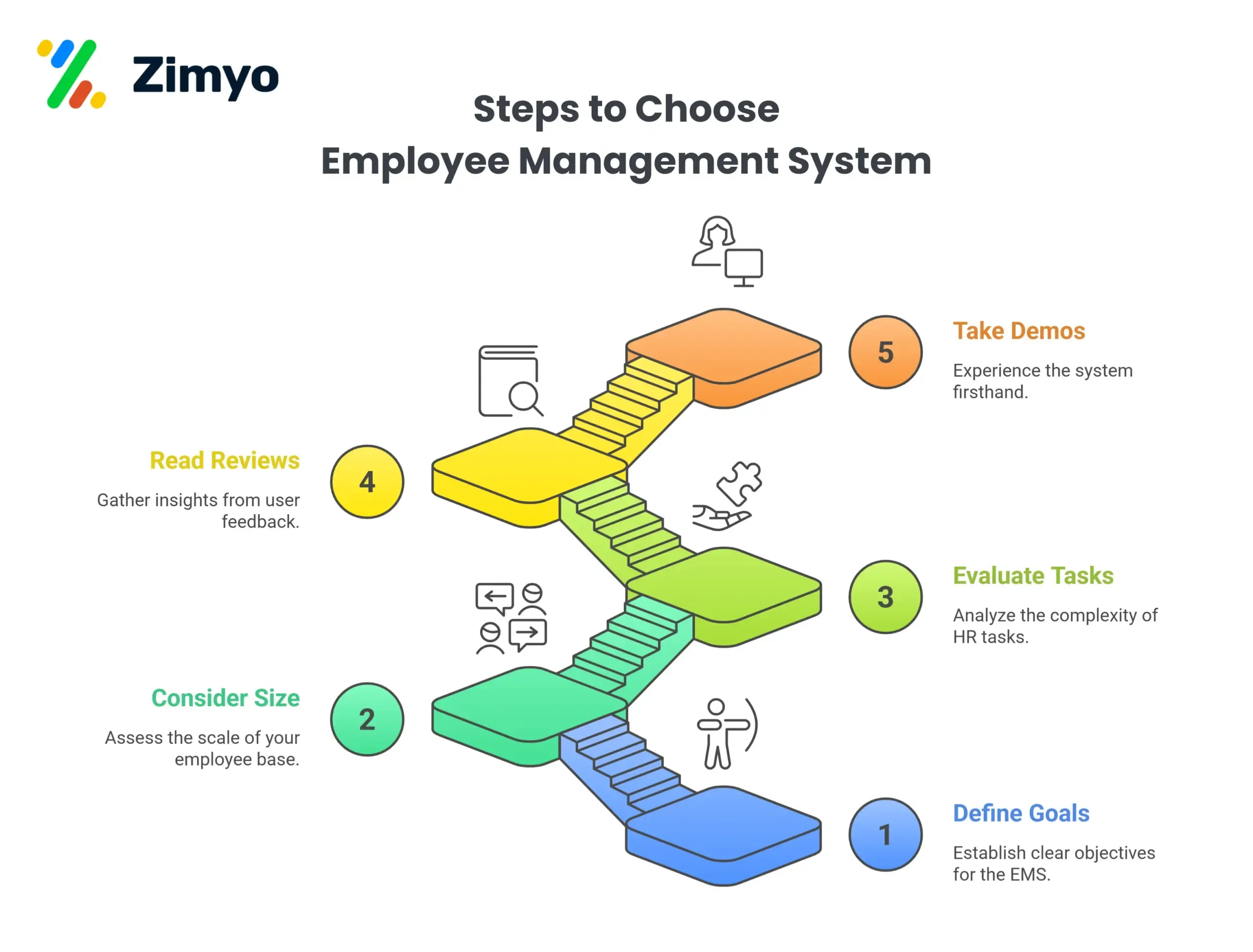
Here’s a simple guide to help you pick the best system for your business.
Step 1: Define Your Goals
Before looking at software, ask yourself: “What do we want to achieve?” Do you need to automate payroll, improve employee engagement, or just track attendance better? Knowing your goals will help you choose a system that actually meets your needs.
Example:
If your main problem is payroll errors, focus on EMS options with strong payroll and compliance tools rather than project management features.
Step 2: Consider Your Employee Size
The number of employees you have matters. Some EMS platforms are designed for small teams, while others work best for large organizations. Picking the right size ensures the system is cost-effective and doesn’t overwhelm your HR team.
Example:
A startup with 30 employees might choose a simple, affordable EMS, while a company with 500 employees may need a platform with advanced automation and reporting.
Step 3: Evaluate the Complexity of Your HR Tasks
If your HR tasks are simple, a basic EMS will work. But if your processes include multiple approvals, performance tracking, or compliance reporting, look for advanced features like AI, machine learning, or automated workflows.
Example:
A company managing multiple offices with different rules for leaves and salaries needs an EMS with flexible workflows and automation, so nothing falls through the cracks.
Step 4: Read Reviews
Customer reviews show how a system performs in real-life situations. Look for feedback on ease of use, support, reliability, and whether the system actually solves HR problems.
Example:
If multiple users mention that the mobile app is slow or payroll reports are confusing, that EMS might not be the best choice for your team.
Step 5: Take Demos
A demo gives you a hands-on experience with the software. You can see how easy it is to navigate, how well it handles your HR tasks, and whether it fits your workflow.
Example:
During a demo, you might test how the EMS calculates leave balances or generates reports. If it’s easy and quick, that’s a good sign.
Conclusion
Investing in an Employee Management System isn’t just about technology… it’s about making your people’s work easier, faster, and more meaningful. Whether you’re a small business or a large enterprise, an EMS helps you stay organized, improve accuracy, and keep your employees happy and productive.
In short, it’s not just a tool; it’s the backbone of a smarter, more efficient workplace.
Frequently Asked Questions (FAQs)
How does an Employee Management Software contribute to streamlining HR operations?
The Employee Management Software eliminates tedious manual tasks with workflow automation. This allows HR professionals to focus on strategic initiatives rather than getting bogged down by administrative burdens.
Can Employee Management System adapt to the unique needs of our organization?
Absolutely. Employee Management Systems are designed with flexibility in mind. They offer customization options to adapt to the unique workflows and requirements of different organizations. Whether you’re a small startup or a large enterprise, an EMS can be tailored to suit your specific needs.
What features make an Employee Management System beneficial for strategic decision-making?
The Employee Management Systems provide data-driven insights that empower organizations to make informed decisions. From analyzing performance metrics to identifying trends, an EMS acts as a valuable tool for strategic planning, ensuring that decisions align with the overall goals of the organization.
How can businesses choose the right Employee Management System for their needs?
Choosing the right EMS involves evaluating the unique needs and aspirations of your organization. We have curated a list of the best employee management systems after careful research into their pros and cons. Explore the full list below to make an informed decision that aligns with your organizational goals and requirements.